Welcome to Royalti.io
Welcome to Royalti.io
Main Page Overview
What is Royalti.io?
Royalti.io is a cutting-edge platform designed to simplify the management of music catalogues, contracts, royalties, and accounting for independent artists, songwriters, producers, managers, and music companies.
By leveraging cloud technology, Royalti.io ensures accessibility, scalability, and efficiency for users worldwide. Whether you are an independent creator or part of a music company, Royalti.io offers tools to optimize your workflow, reduce administrative tasks, and focus on creativity.
Availability:
The platform is available worldwide as Software-as-a-Service (SaaS) at [royalti.io](https://royalti.io).
#
Getting Started
Create an Account for Free
Kickstart your journey with Royalti.io in three simple ways:
-
[Use the Demo](https://royalti.io/demo/)
Explore a fully-functional demo to get a feel of the product and its features.
-
[Join Now](https://royalti.io/sign-up/)
Create a free account to access the platform and start managing your music business.
-
[Login](https://demo.royalti.io/login/?redirect_to=https%3A%2F%2Fdemo.royalti.io%2F%3F_ga%3D2.165448441.736387693.1663919572-794906331.1657786754%26_gl%3D1%252A11a4mv9%252A_ga%252ANzk0OTA2MzMxLjE2NTc3ODY3NTQ.%252A_ga_3DWBE43X77%252AMTY2NDAxMTk1OC40MS4xLjE2NjQwMTIxMzEuNTguMC4w)
Sign in with your credentials to access your workspace
Getting Help
How to Get Help
At Royalti.io, we prioritize creating an intuitive and seamless experience for our users. Your feedback is integral to improving our platform and ensuring it meets your needs.
Documentation
Our comprehensive documentation provides step-by-step guidance for all features of Royalti.io. We encourage users to refer to the documentation for answers to common queries and detailed feature explanations.
Still have questions?
You can always reach out to us using the available support channels if further assistance is required.
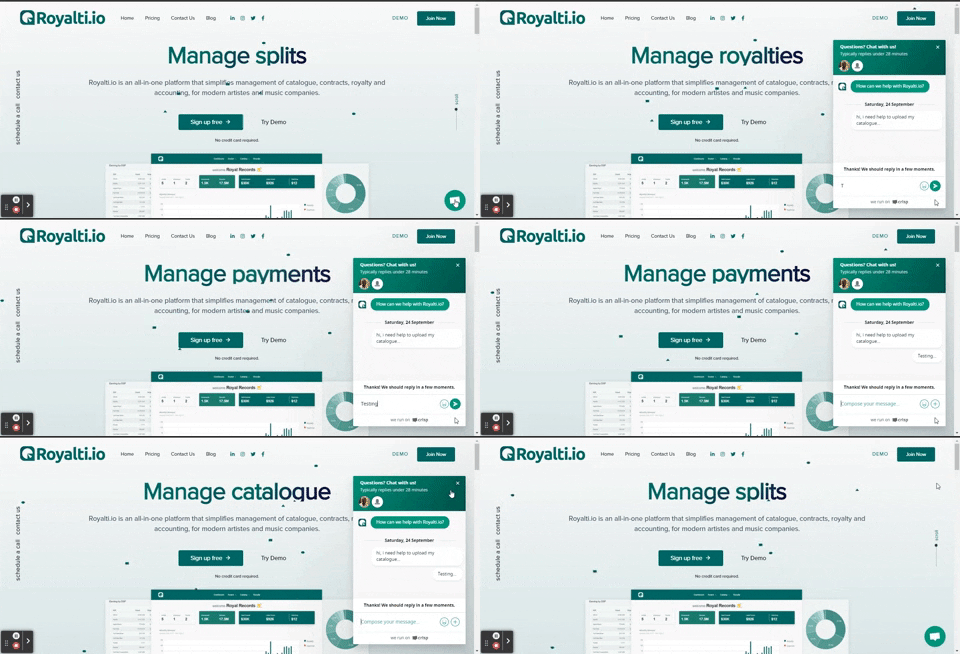
Chat
For immediate support, you can use the live chat feature available at the bottom-right corner of the page
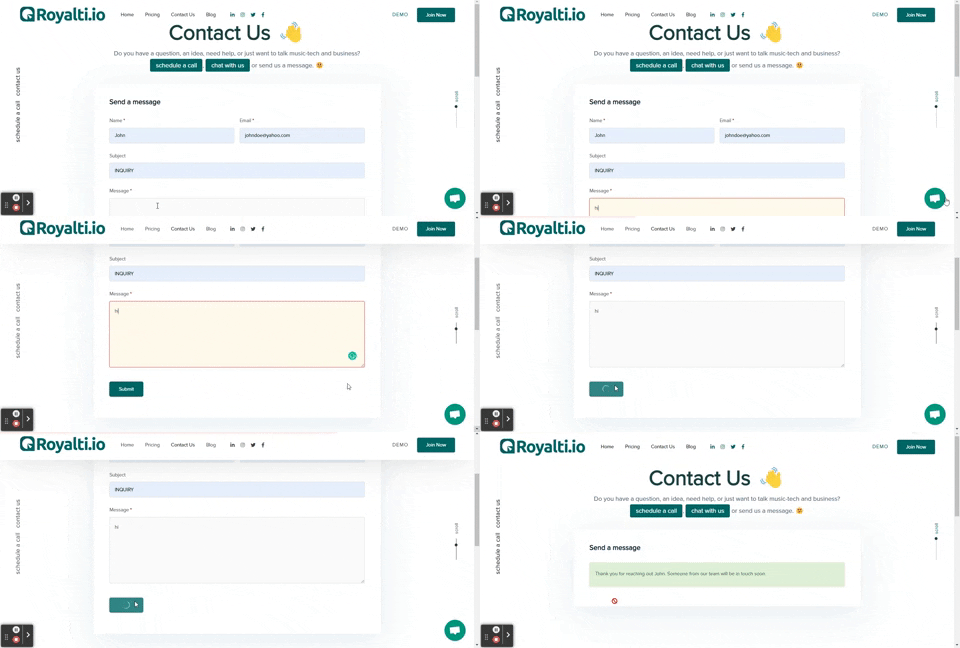
Message Us
Leave us a message anytime:
Enter your name and email address.
Provide a subject line for your query.
Write your message and click Submit.
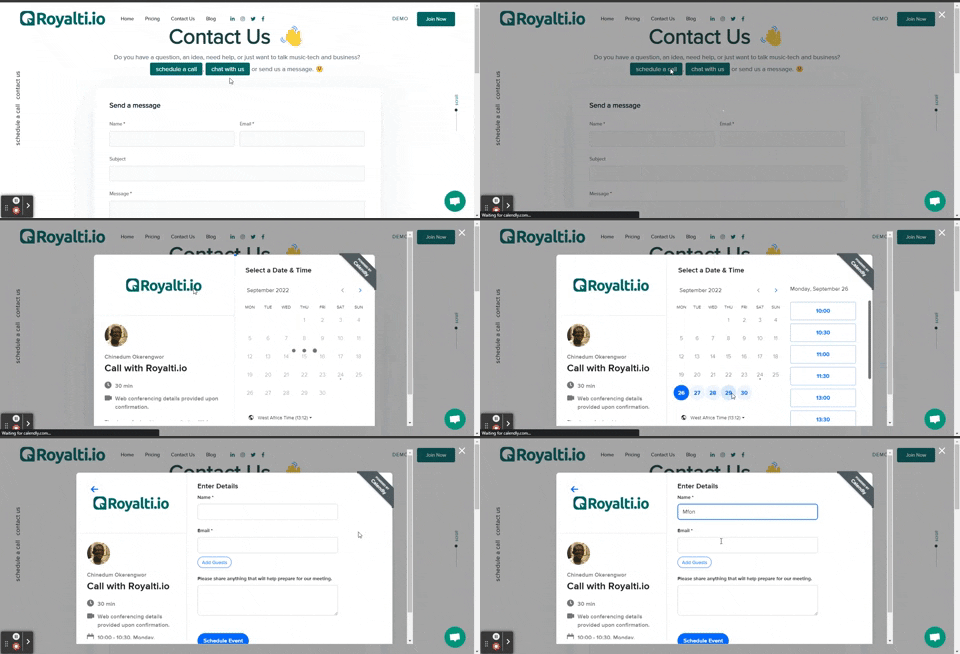
Schedule a Call
For a more personalized approach, schedule a call with our team:
Visit the Contact Us page here.
Click on "Schedule a Call."
Pick a convenient day and time.
Confirm details via email.
Be available for the scheduled call.
Key Concepts
Roster
The Roster is the hub for managing people on Royalti.io, including artists and users.
-
Core Functionalities:
-
Create, edit, and organize artist profiles.
-
Analyze relationships between users and artists.
-
Assign roles and permissions to users.
Use Case:
Efficiently manage your team, collaborators, and talent in one unified workspace.
Catalog
The Catalog is your library for managing assets (e.g., songs, videos, and files) and products (e.g., albums, singles).
-
Core Functionalities:
-
Organize artist assets, metadata, and release information.
-
Manage product types like audio, video, or combined releases.
Use Case:
Ensure smooth release workflows and maintain a structured catalog for your music business.
Accounting
The Accounting section streamlines all financial processes for your music business.
-
Core Functionalities:
-
Manage payments, revenue, and expenses.
-
Track current dues and automate payment methods.
-
Generate financial reports for accurate bookkeeping.
Use Case:
Gain visibility into your finances and efficiently distribute royalties to stakeholders.
Quick Guides
Here are step-by-step guides for frequently used features:
[How to Create an Artist](https://help.royalti.io/en/articles/10278468-create-an-artist-on-royalti-io)
[How to Create a Person (User)](https://help.royalti.io/en/articles/10297262-create-a-user-person-on-royalti-io)
[How to Create an Asset](https://intercom.help/royaltiio/en/articles/7910941-creating-an-asset-on-royalti-io)
[How to Create a Product](https://intercom.help/royaltiio/en/articles/10297332-create-a-product-on-royalti-io)
[How to Use the Royalty Upload Page](https://intercom.help/royaltiio/en/articles/8743569-how-to-import-royalty-data)
How to Use the Checklist Page
Related articles
Managing Payment Items in Royalti.io
This guide explains how to view, edit, and delete payment of the Accounting Management system. Getting Started To manage individual accounting items: 1. Log in to your Royalti.io account 2. Select...
Managing Royalty Sources
Overview The Royalty Sources feature allows you to manage and download royalty data from various platforms. This guide walks you through accessing, managing, and modifying your royalty sources....
Activating and Managing the Releases Feature - The Admin
What is the Releases Feature? The Releases feature is a comprehensive music submission and approval workflow system that allows your users to submit music releases for review and automatic catalog...
Still stuck?
Support answers within one business day — usually much faster.