Statements in. Statements out. Every figure opens back to its line.
For labels and distributors, and for publishers who reconcile statements for their writers: load what your distributors and societies send, split it, and give each payee a statement they can check.
Load the statements you already get.
Drop the files your distributors and societies send. We read them in their own layout, and keep the file you loaded.
| FROM | READY-MADE FORMATS | NOTE |
|---|---|---|
| Distributors | DistroKid · FUGA · ONErpm · Symphonic · Believe · The Orchard · AWAL · EMPIRE · TuneCore · Ingrooves · and more | 20+ distributors |
| Merlin | Spotify · TikTok · Facebook · SoundCloud · VEVO · and Merlin’s other DSP reports | one source per DSP |
| Societies | BMI · ASCAP · SOCAN | statements matched to works |
| Your own layout | Any spreadsheet: map its columns once in your workspace | Source Creator |
Each line, against the recording or work it pays.
Lines are matched to your tracks, or to works for society statements. A line that matches nothing is shown as unmatched, never dropped.
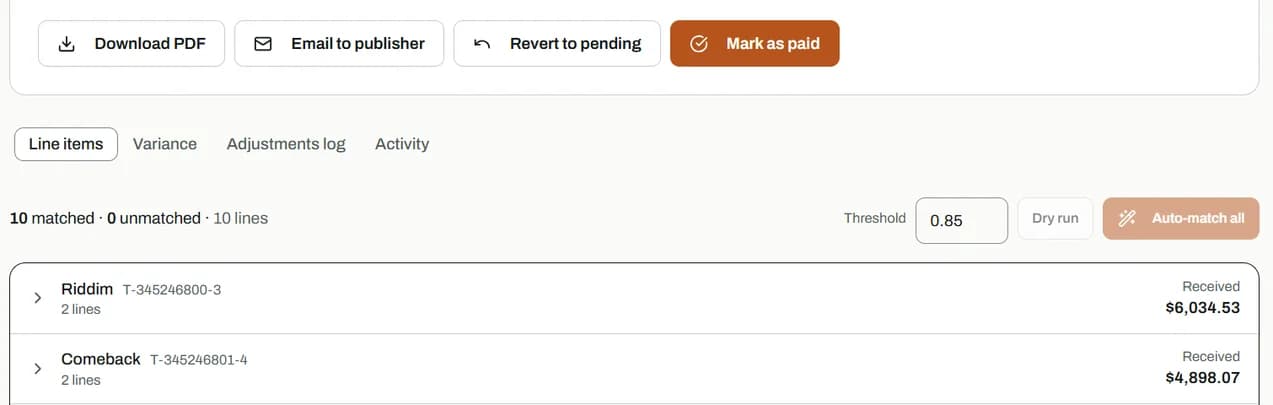
- 1How many lines matched, and how many didn’t.
- 2What was received for each work.
- 3Export the statement as a PDF, or email it.
See what everyone is owed, then pay.
Gross, paid and due for every payee. Payment requests wait for your approval, and every payment is recorded.
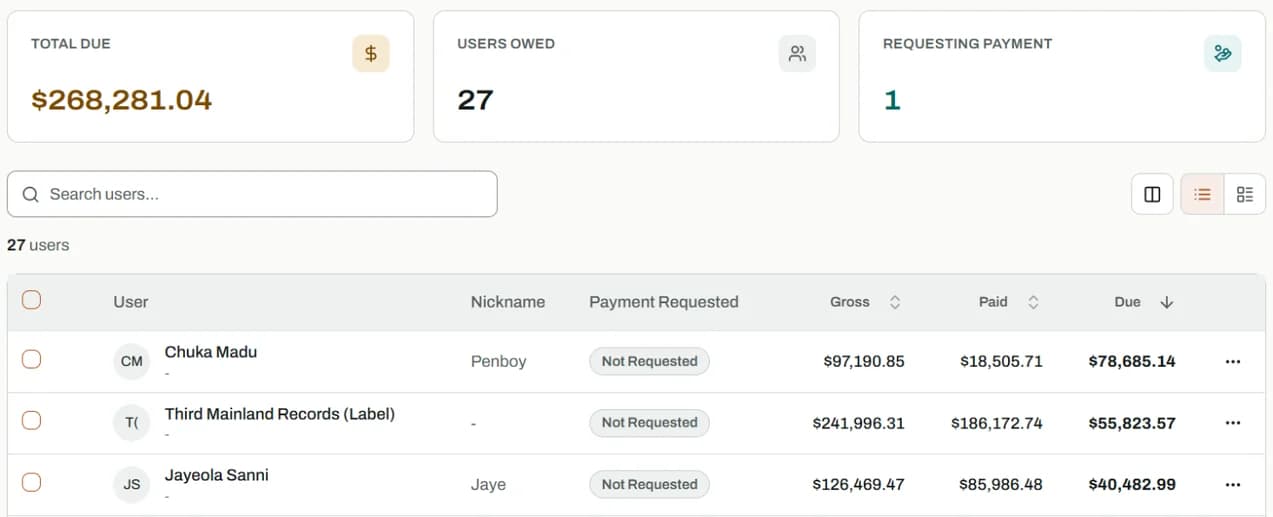
- 1The total still owed, as of the last closed period.
- 2Who has asked to be paid.
- 3Gross, minus paid, is due, per payee.
A statement each payee can check.
Opening balance, their share, payments and the net payable, as a PDF in your colours. Choose the register, sleeve or form layout for your workspace.
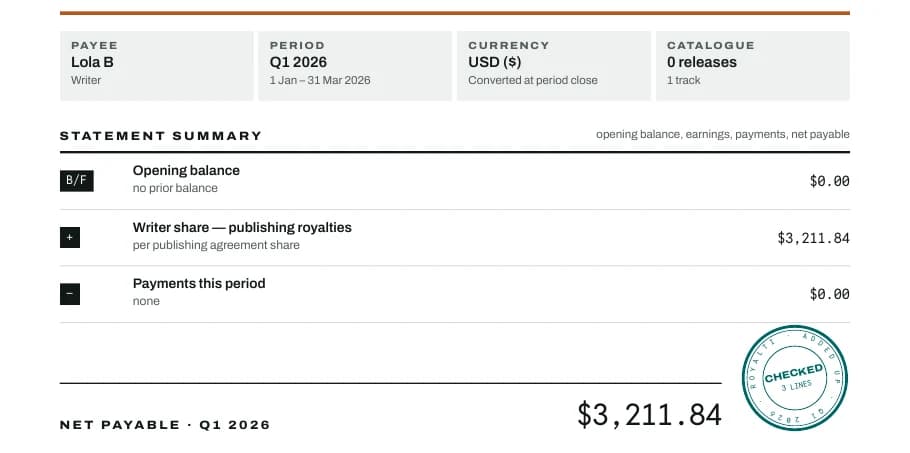
Your workspace uses one of the three for every statement it sends.
Your catalogue, by store and by track.
Every statement you load adds to one view of what came in, from which store, for which recording.
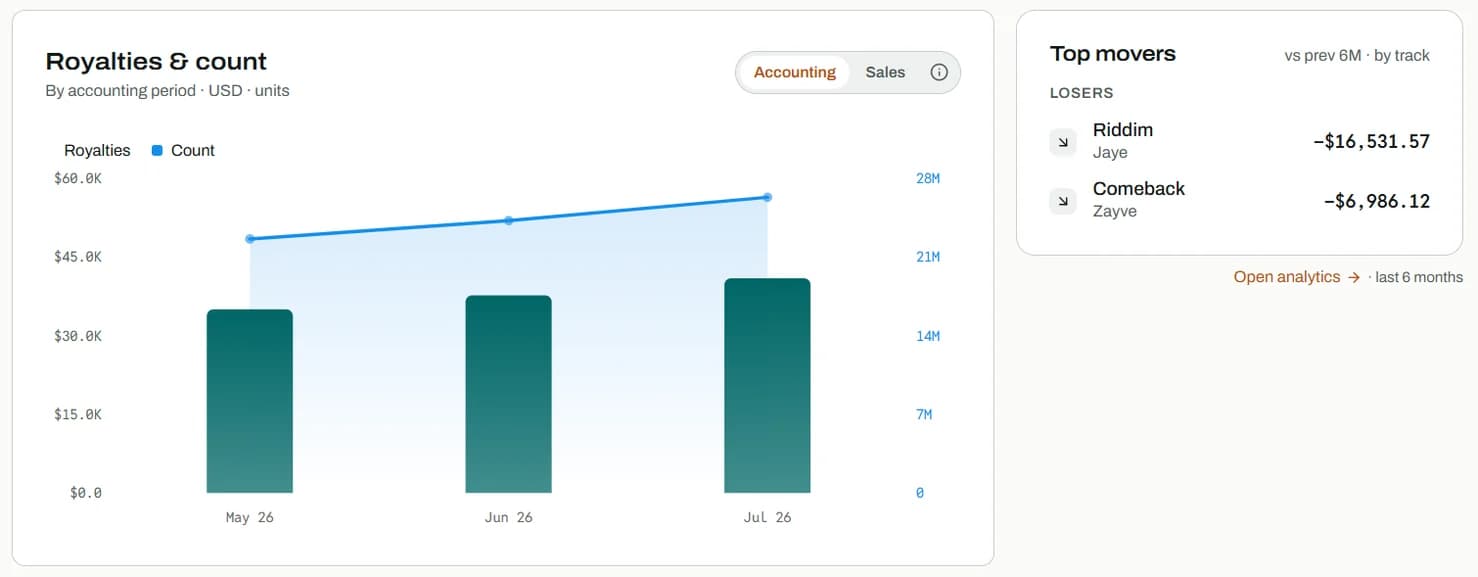
- 1Royalties by accounting month, in your currency.
- 2Switch between accounting and sales months.
- 3Biggest movers against the last period.
Start with one statement.
BMI, ASCAP and SOCAN are trademarks of their owners; Royalti is not affiliated with them. Figures on the plates are from a sample workspace, not real money.