Using the Checklist Page
Using the Checklist Page
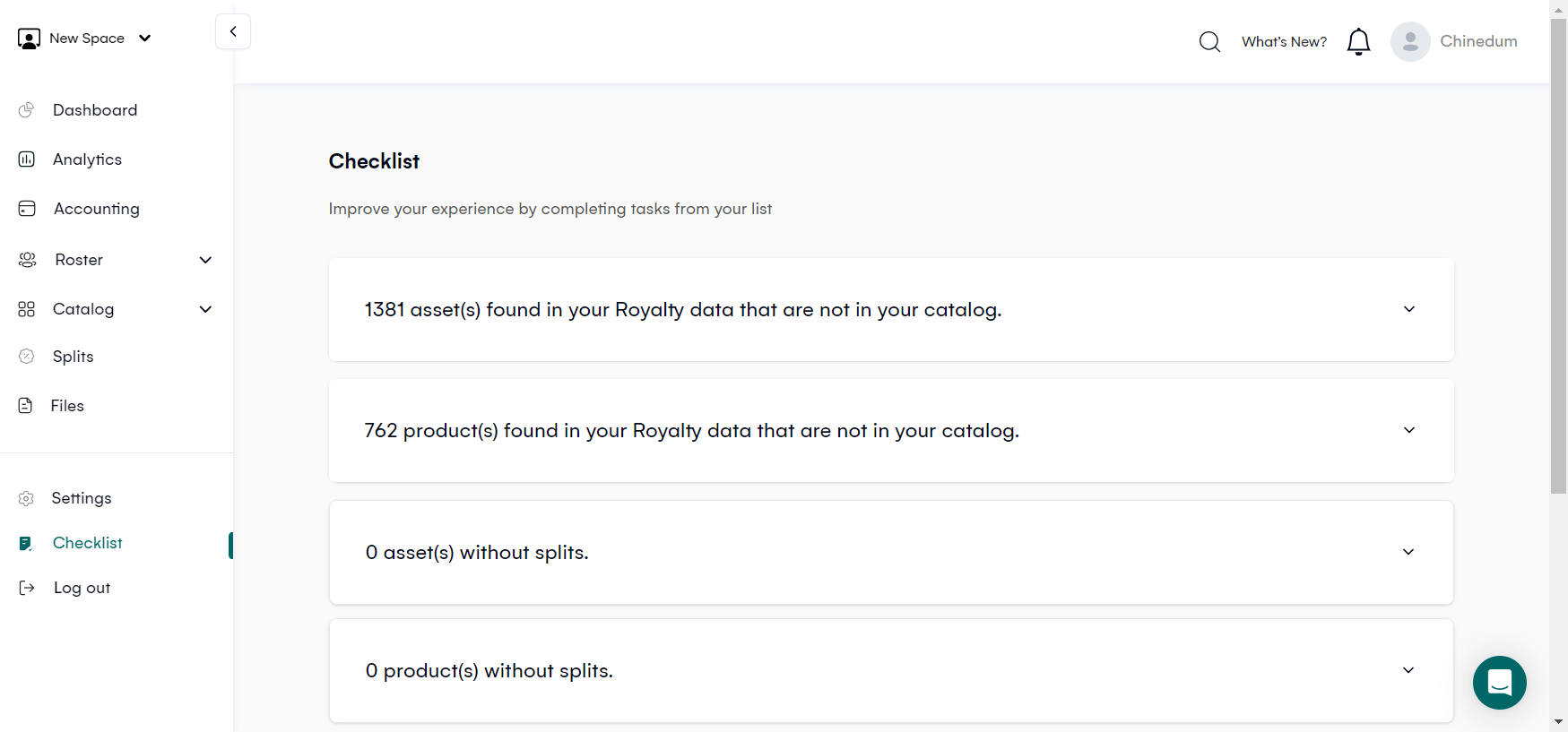
The Checklist page helps maintain accurate data in your workspace. It displays a list of assets and products in the workspace's Royalty data that are yet to be imported into the Catalog. Additionally, it highlights any missing or incorrectly set Splits.
Missing Assets
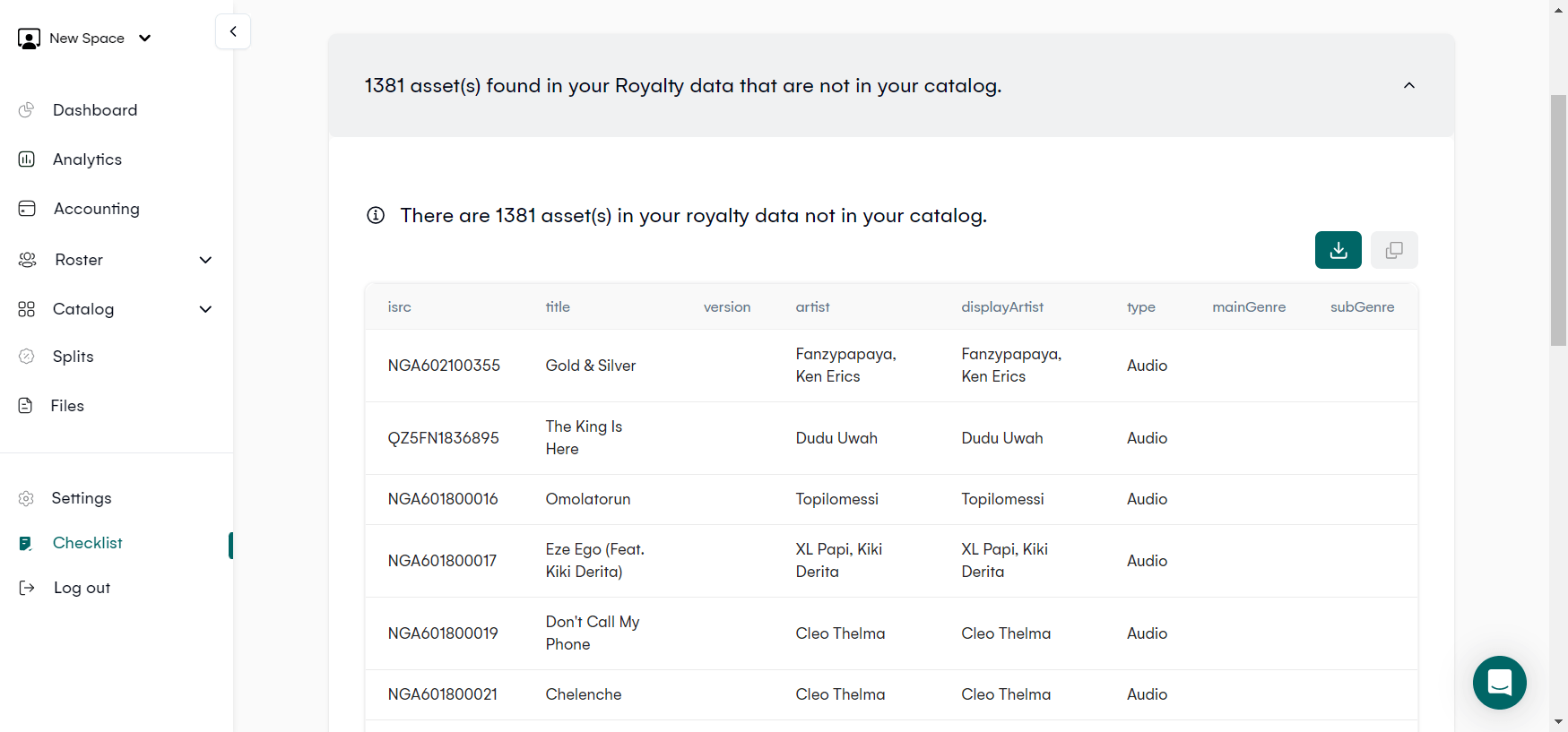
The first second displays a list of assets that have been identified in the Royalty data but have not yet been added to the Catalog of the Workspace. You can download a CSV file containing these assets by clicking on the CSV button. This file can be modified as per your requirement and then re-imported using the Bulk import tool available on the Catalog > Assets page.
This will create the Assets and the Artists if they don't exist yet.
For existing Artists with their default split set, the splits will be automatically created for their newly created Assets
Tip: Use the Copy button to copy the table's content and paste it into a Spreadsheet program like MS Excel, Google Sheets, or LibreOffice.
Missing Products
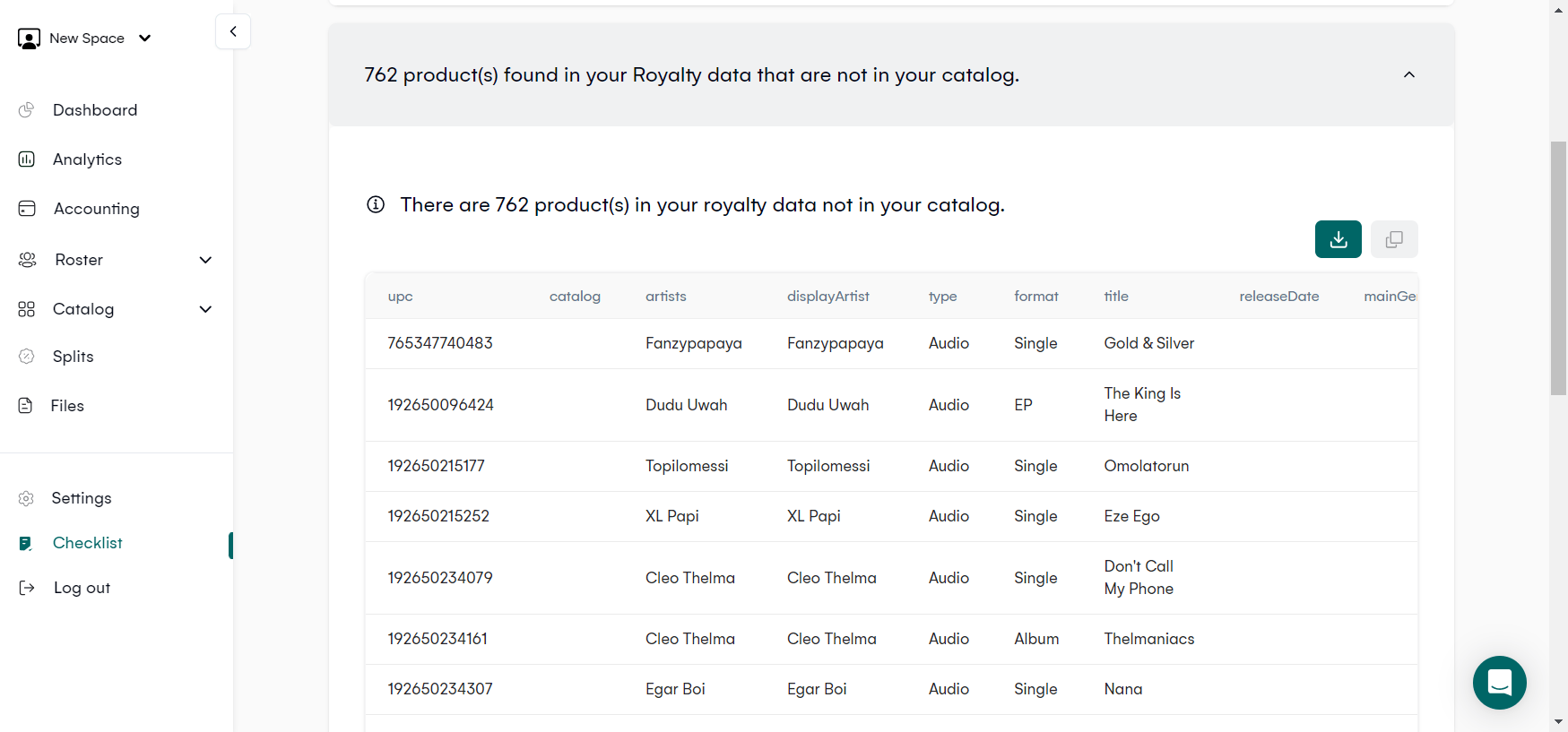
In the second section, you'll find a list of products that are present in the Royalty data, however, they have not been added to the Workspace Catalog yet. By clicking on the CSV button, you can download a CSV file that contains these assets. This file can be modified to include any missing information and can be re-imported using the Bulk import tool that is available on the Catalog > Products page.
Assets and Products Without Splits
The following two sections show information about the assets and products without splits.
Incorrectly Set Splits
The next section shows the splits that have been incorrectly set, including an action button to delete all of them.
Related articles
Managing Payment Items in Royalti.io
This guide explains how to view, edit, and delete payment of the Accounting Management system. Getting Started To manage individual accounting items: 1. Log in to your Royalti.io account 2. Select...
Managing Royalty Sources
Overview The Royalty Sources feature allows you to manage and download royalty data from various platforms. This guide walks you through accessing, managing, and modifying your royalty sources....
Activating and Managing the Releases Feature - The Admin
What is the Releases Feature? The Releases feature is a comprehensive music submission and approval workflow system that allows your users to submit music releases for review and automatic catalog...
Still stuck?
Support answers within one business day — usually much faster.