Use the Merge Artist Functionality on Royalti.io
Use the Merge Artist Functionality on Royalti.io
Step-by-Step Guide to Merging Artists
Step 1: Log In
Sign in to your [Royalti.io](https://royalti.io) Workspace with your credentials.
Step 2: Navigate to the Artist Page
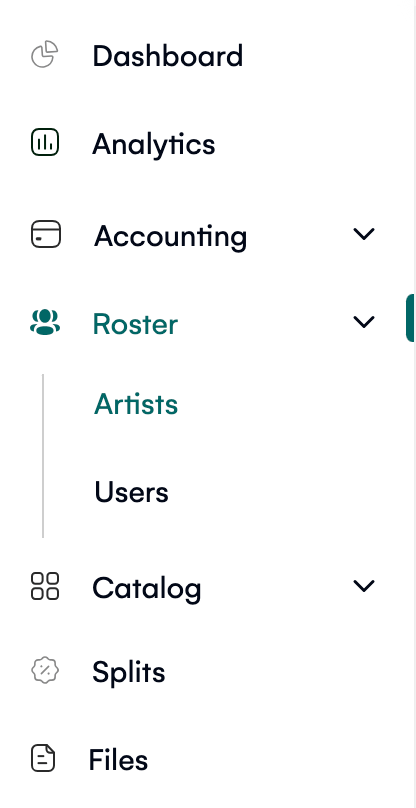
On the side navigation menu, locate the "Roster" dropdown.
Click "Artist" to open the artist management page, which displays a table of all artists.
Step 3: Select Artists to Merge
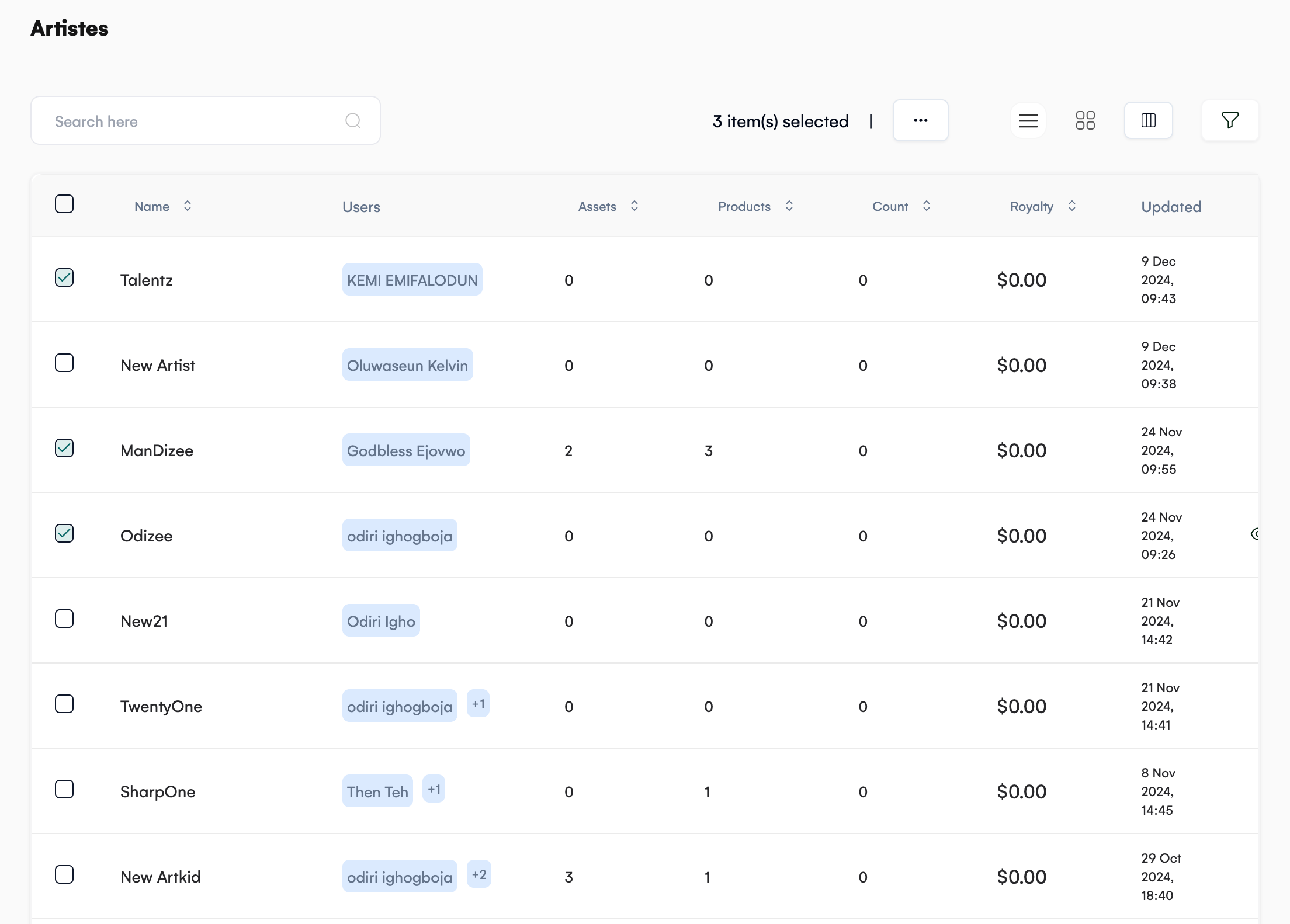
From the artist table, select one or more artist entries you want to merge.
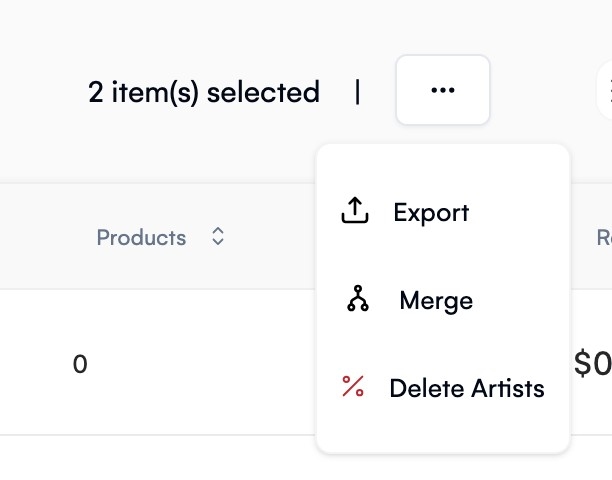
Click the three-dot menu above the table.
Choose the "Merge Artist" option from the dropdown.
Step 4: Choose the Target Artist
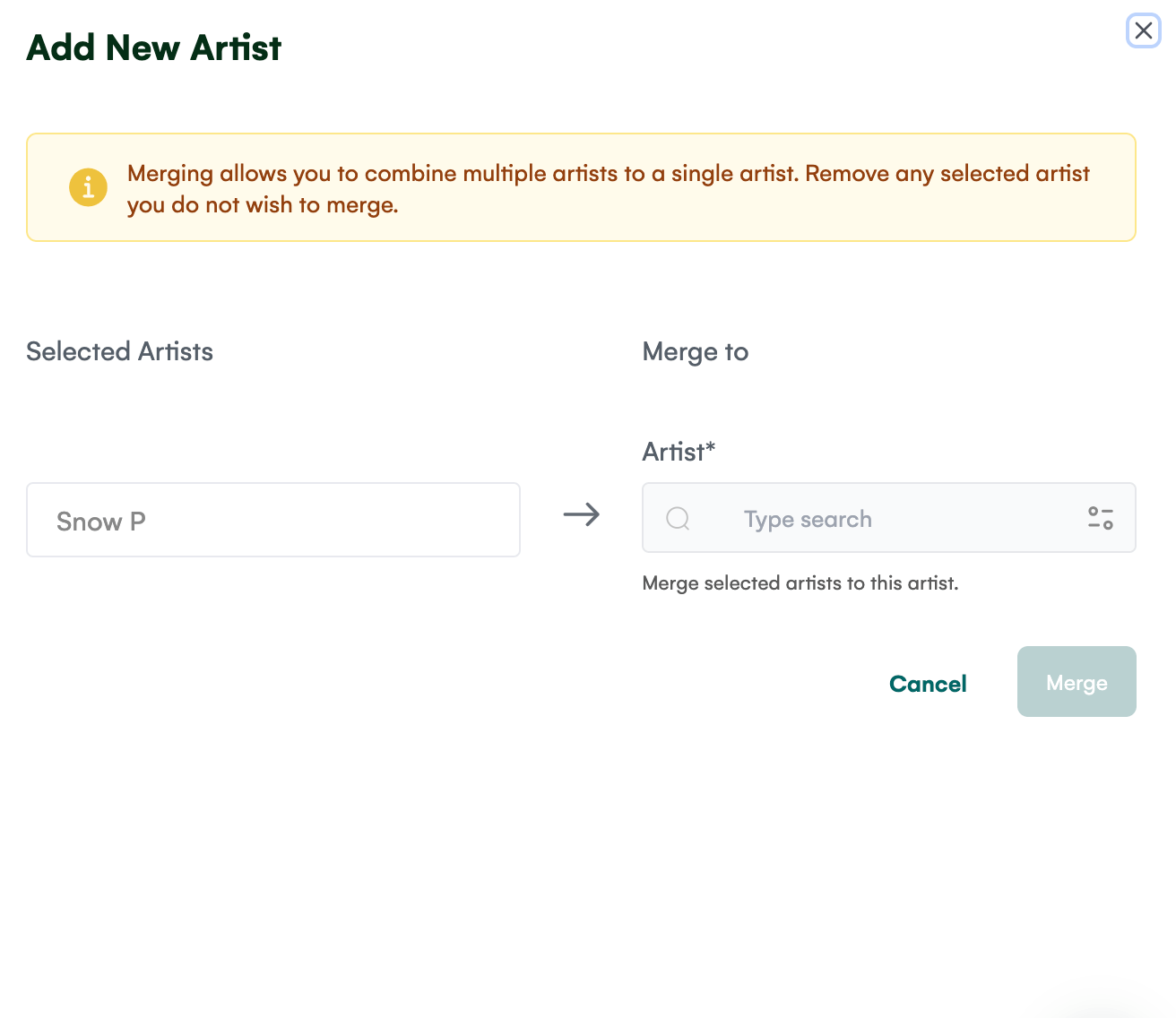
A right-side panel will slide out.
In this panel, select the artist record to which the selected artists should be merged.
Once chosen, click the "Merge" button to finalize the process.
Important Notes
-
Merged Data: All information, splits, and assets from the selected artists will be combined into the target artist record.
-
Deleted Records: After the merge, the redundant artist entries will be automatically deleted.
-
Caution: Ensure you select the correct target artist before completing the merge, as this action cannot be undone.
By following these steps, you can streamline your artist management and eliminate duplicate entries effortlessly. Give it a try to keep your records clean and organized!
Related articles
Managing Payment Items in Royalti.io
This guide explains how to view, edit, and delete payment of the Accounting Management system. Getting Started To manage individual accounting items: 1. Log in to your Royalti.io account 2. Select...
Managing Royalty Sources
Overview The Royalty Sources feature allows you to manage and download royalty data from various platforms. This guide walks you through accessing, managing, and modifying your royalty sources....
Activating and Managing the Releases Feature - The Admin
What is the Releases Feature? The Releases feature is a comprehensive music submission and approval workflow system that allows your users to submit music releases for review and automatic catalog...
Still stuck?
Support answers within one business day — usually much faster.