Royalti.io Notification System
Royalti.io Notification System
Welcome to Royalti.io's new Notification System! This feature keeps you informed about important updates, alerts, and activities occurring within your workspace. Stay up-to-date with everything happening in your account without having to manually check for changes.
How to Access Your Notifications
Viewing Recent Notifications
Login to your [Royalti.io](https://app.royalti.io) account and select your workspace
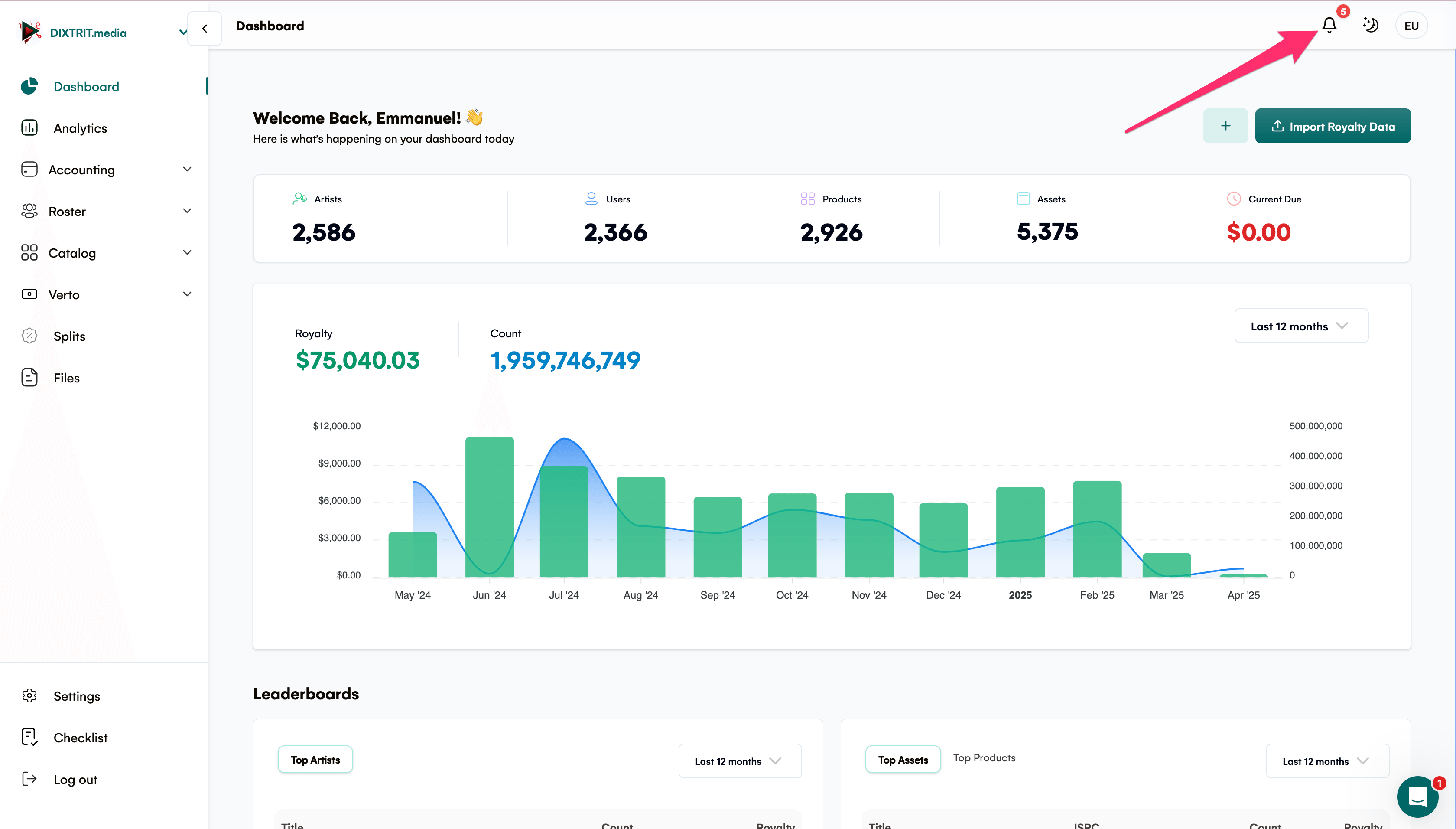
Locate the bell icon in the top right corner of your dashboard
Check notification count - The number displayed on the bell icon indicates your unread notifications
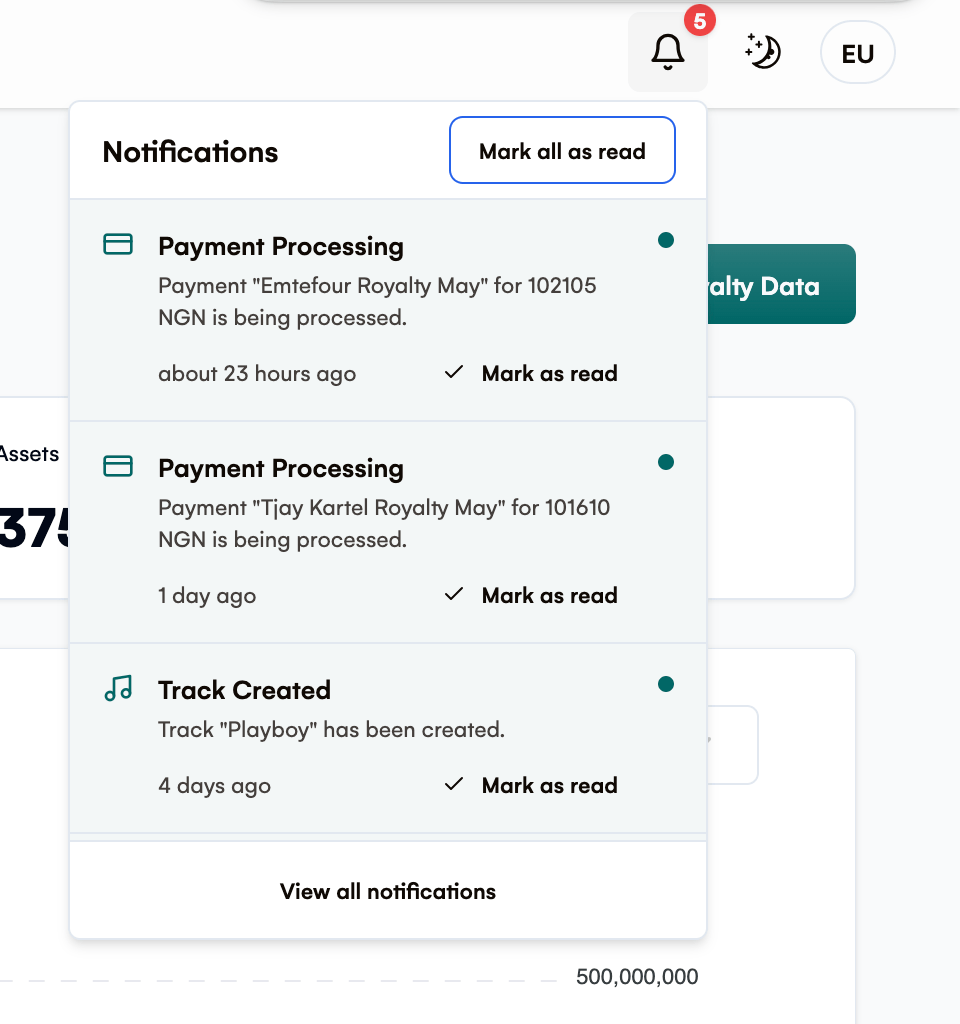
Click the bell icon to open a dropdown modal showing your most recent notifications
Select any notification to be taken directly to the relevant section or information
Accessing All Notifications
After opening the notification dropdown, click the "View All Notifications" link at the bottom
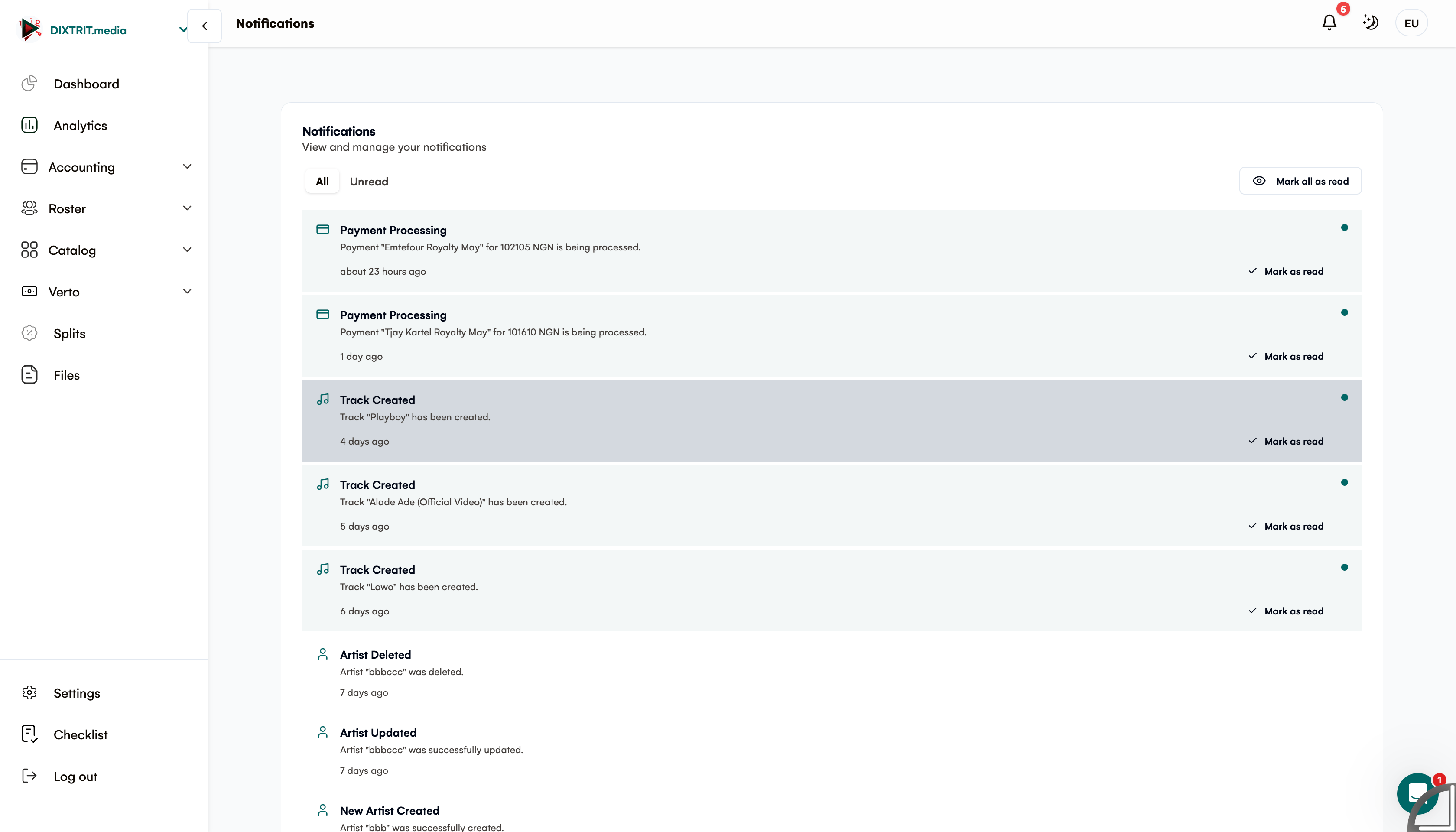
This will take you to the dedicated Notifications page where you can see your complete notification history
Managing Your Notifications
On the Notifications Page
-
View all notifications - both read and unread will be displayed in chronological order
-
Filter by unread - Use the filter option to show only unread notifications
-
Mark as read - Select individual notifications to mark them as read
-
Mark all as read - Clear all unread notifications with a single click
Notification Types
Royalti.io notifications may include:
-
System updates and announcements
-
Workspace activity alerts
-
Collaboration invitations
-
Task assignments and deadlines
-
Payment and subscription notices
Tips for Effective Notification Management
-
Check your notifications regularly to stay informed
-
Mark notifications as read once you've addressed them
-
Use the "Mark all as read" feature when returning after time away
-
Visit the full Notifications page to ensure you haven't missed anything important
Need Additional Help?
If you have any questions about using the Notification System or encounter any issues, please contact our support team through the Help section of your account or email support@royalti.io.
Related articles
Managing Payment Items in Royalti.io
This guide explains how to view, edit, and delete payment of the Accounting Management system. Getting Started To manage individual accounting items: 1. Log in to your Royalti.io account 2. Select...
Managing Royalty Sources
Overview The Royalty Sources feature allows you to manage and download royalty data from various platforms. This guide walks you through accessing, managing, and modifying your royalty sources....
Activating and Managing the Releases Feature - The Admin
What is the Releases Feature? The Releases feature is a comprehensive music submission and approval workflow system that allows your users to submit music releases for review and automatic catalog...
Still stuck?
Support answers within one business day — usually much faster.