How to Use Magic-Link Authentication on Account
How to Use Magic-Link Authentication on Account
We’ve introduced a new and secure way to log in to Royalti.io Account: Magic-Link Authentication. This method eliminates the need for passwords, allowing you to log in effortlessly by clicking a secure link sent directly to your email. Here's how to use this feature:
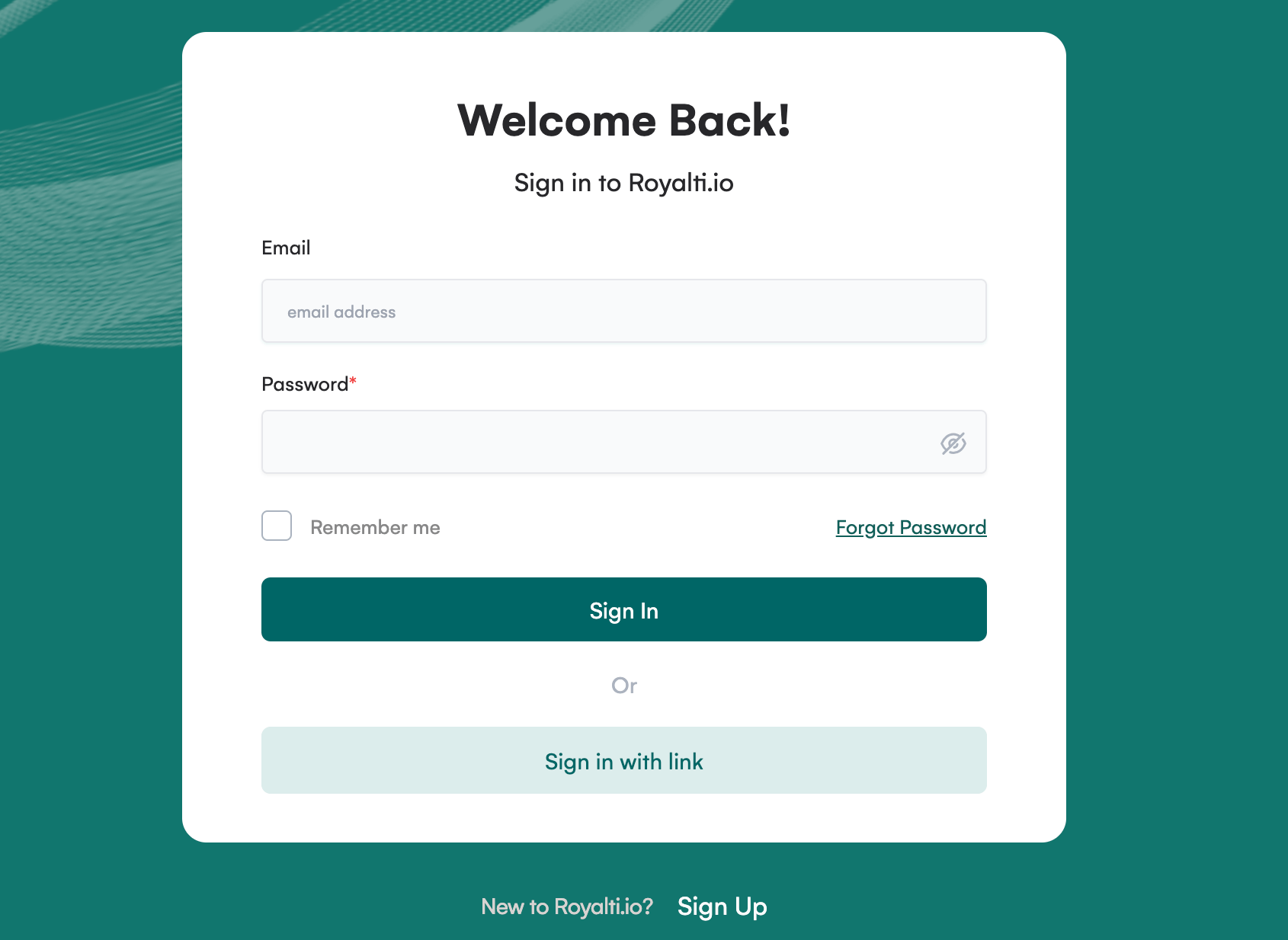
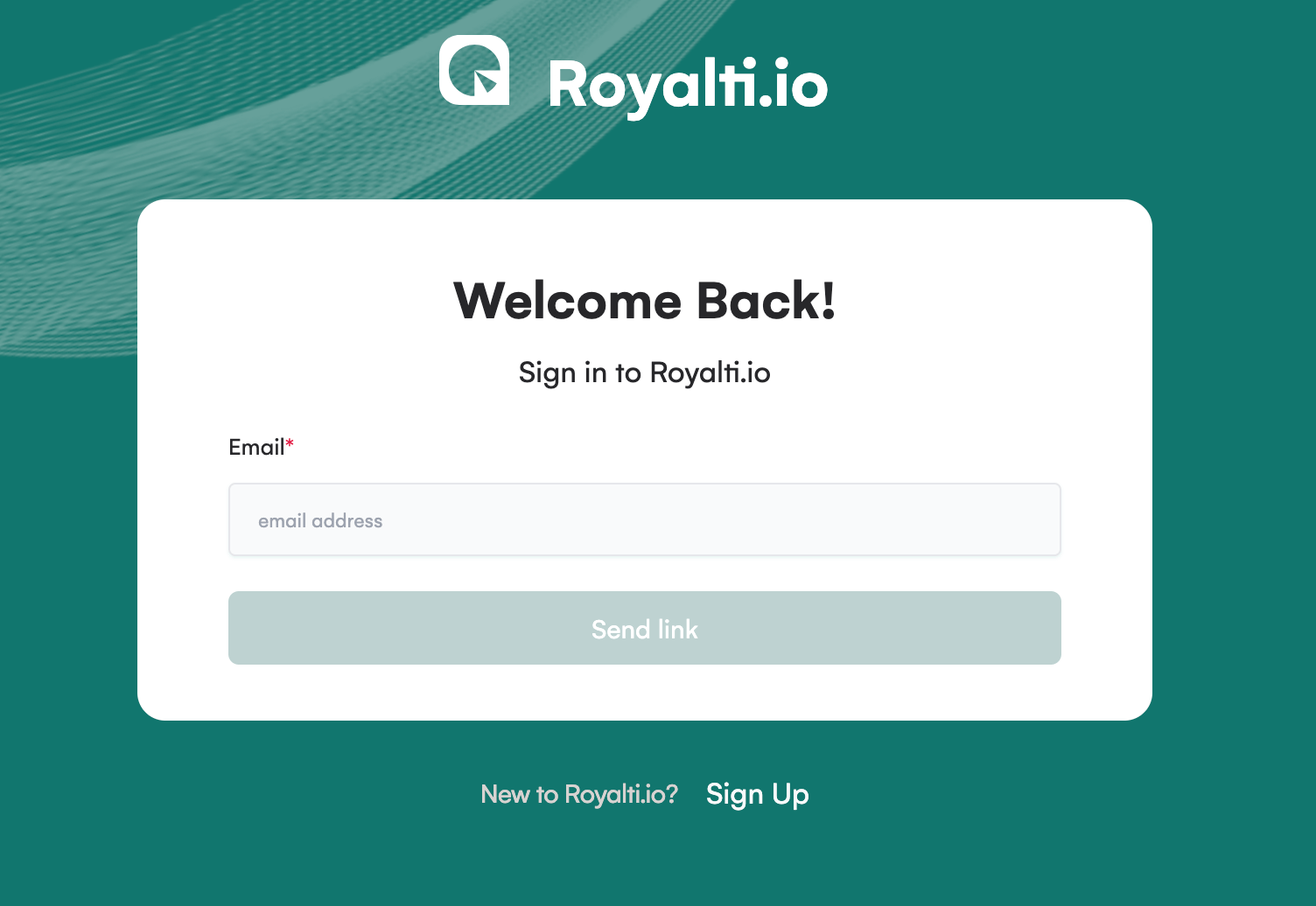
Step 1: Enter Your Email Address
On the login page, locate the Magic-Link Login section.
-
Enter your email address in the provided field.
-
Click the Sign in with Link button.
Step 2: Check Your Email
A secure Login-Link will be sent to the email address you provided.
-
Open your email inbox.
-
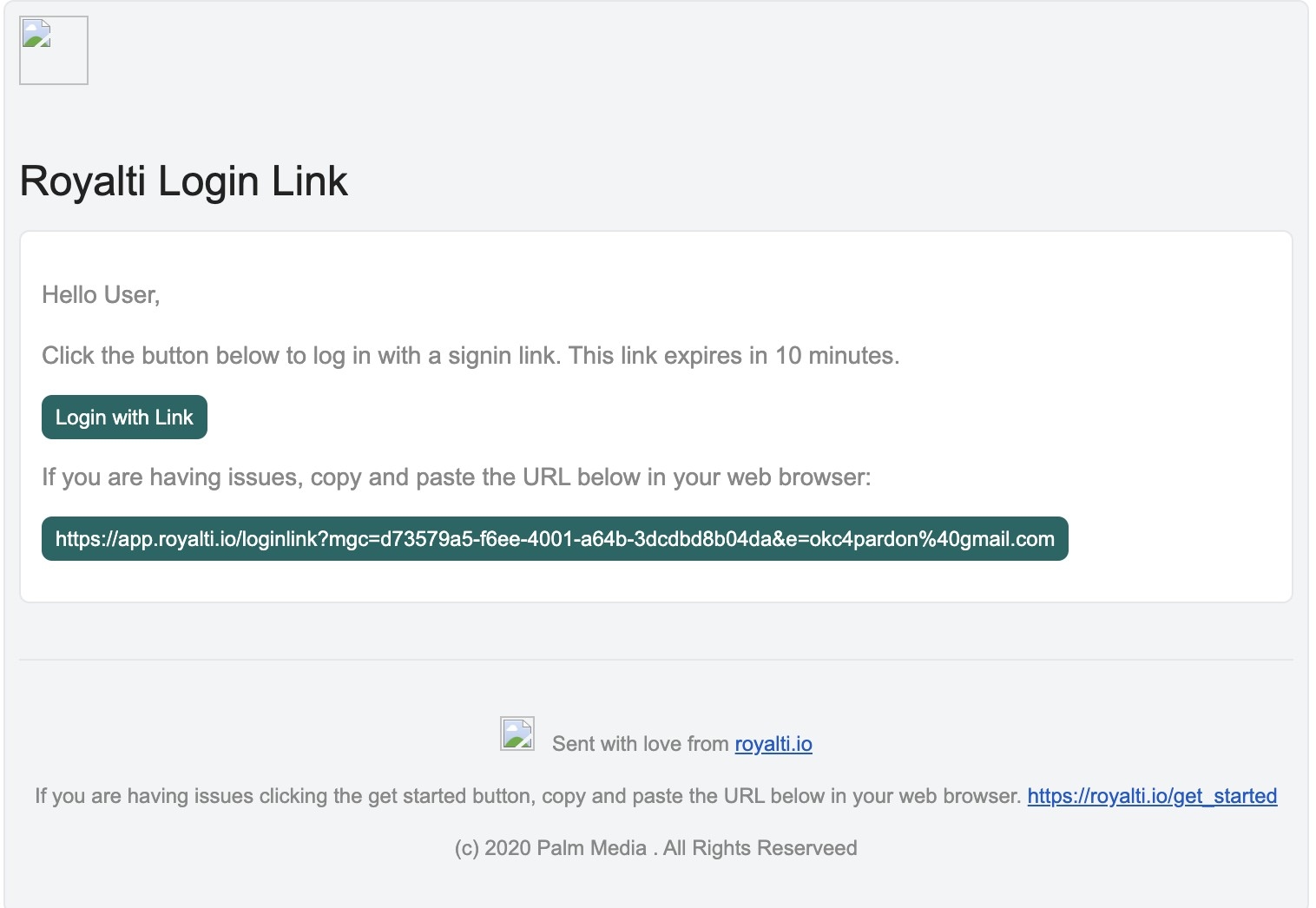
Look for an email from [Royalti.io](https://royalti.io) with the subject line "Royalti Login Link"
-
If you don’t see it, check your spam/junk folder.

Step 3: Click the Magic-Link
In the email, you’ll find the Magic-Link.
-
Click on the link to automatically log in to Royalti.io account.
-
The link is valid for a limited time to ensure your account’s security.
Step 4: Seamless Access
Once you click the link, you’ll be redirected to your account on Royalti.io Workspace.
Enjoy quick and secure access without the hassle of remembering passwords!
Additional Tips
-
Ensure you have access to the email address associated with your account.
-
If the link expires, repeat Step 1 to request a new Magic-Link.
-
For security, avoid sharing your Magic-Link with anyone.
That’s it! With Magic-Link Authentication, logging in has never been easier. Try it out today for a smoother, password-free experience!
Related articles
Managing Payment Items in Royalti.io
This guide explains how to view, edit, and delete payment of the Accounting Management system. Getting Started To manage individual accounting items: 1. Log in to your Royalti.io account 2. Select...
Managing Royalty Sources
Overview The Royalty Sources feature allows you to manage and download royalty data from various platforms. This guide walks you through accessing, managing, and modifying your royalty sources....
Activating and Managing the Releases Feature - The Admin
What is the Releases Feature? The Releases feature is a comprehensive music submission and approval workflow system that allows your users to submit music releases for review and automatic catalog...
Still stuck?
Support answers within one business day — usually much faster.