Create an Artist on Royalti.io
Create an Artist on Royalti.io
The Create Artist feature allows you to easily add new artists to your Royalti.io workspace, assign existing users, and optionally define beneficiaries for artist splits. Follow the steps below to create an artist in just a few clicks.
Log In
Log in to your [Royalti.io ](https://app.royalti.io)Workspace with your credentials.
Navigate to the Artists Page
On the sidebar menu, click on the "Roster" dropdown.
Select "Artists" to access the Artists page.
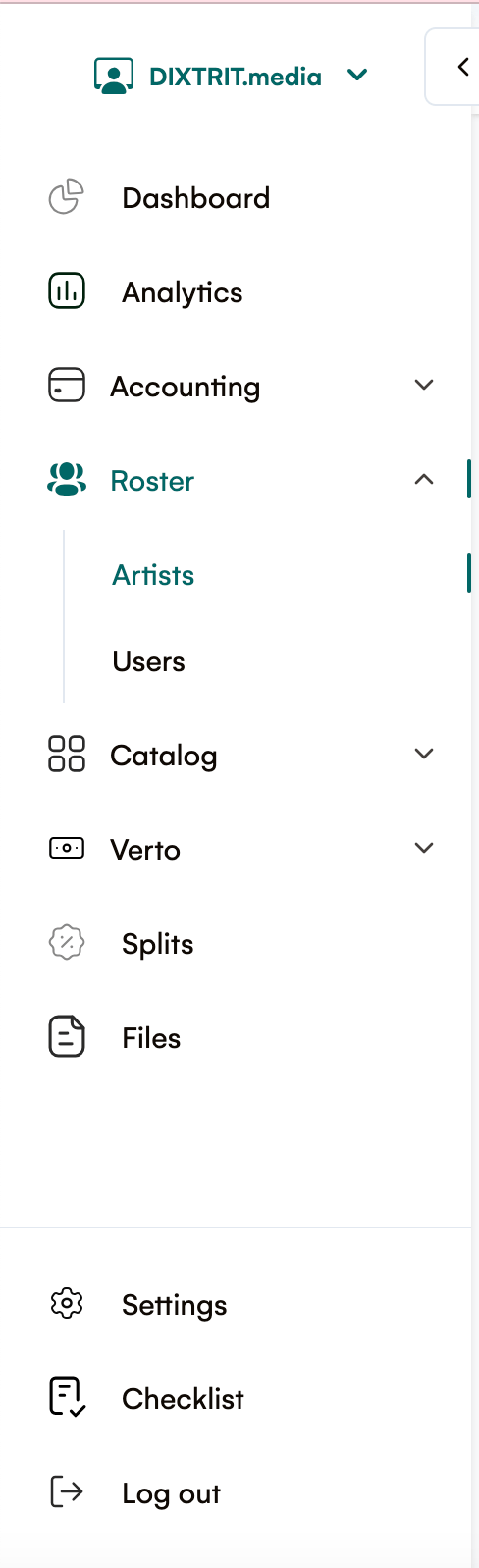
Open the Add Artist Panel
On the top-right corner of the Artists page, click the "Add Artist" button.
A right-side panel will slide open for adding a new artist.
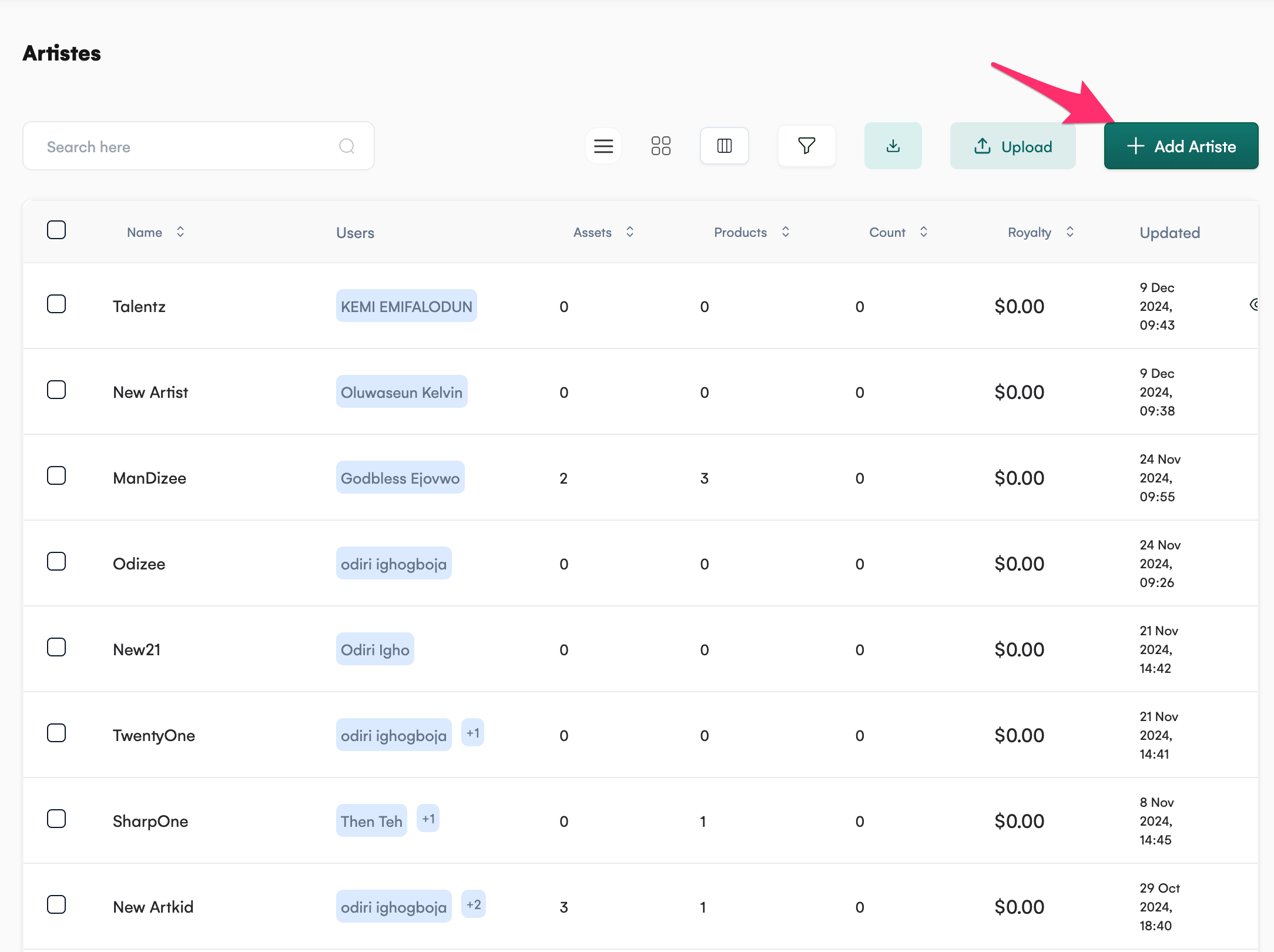
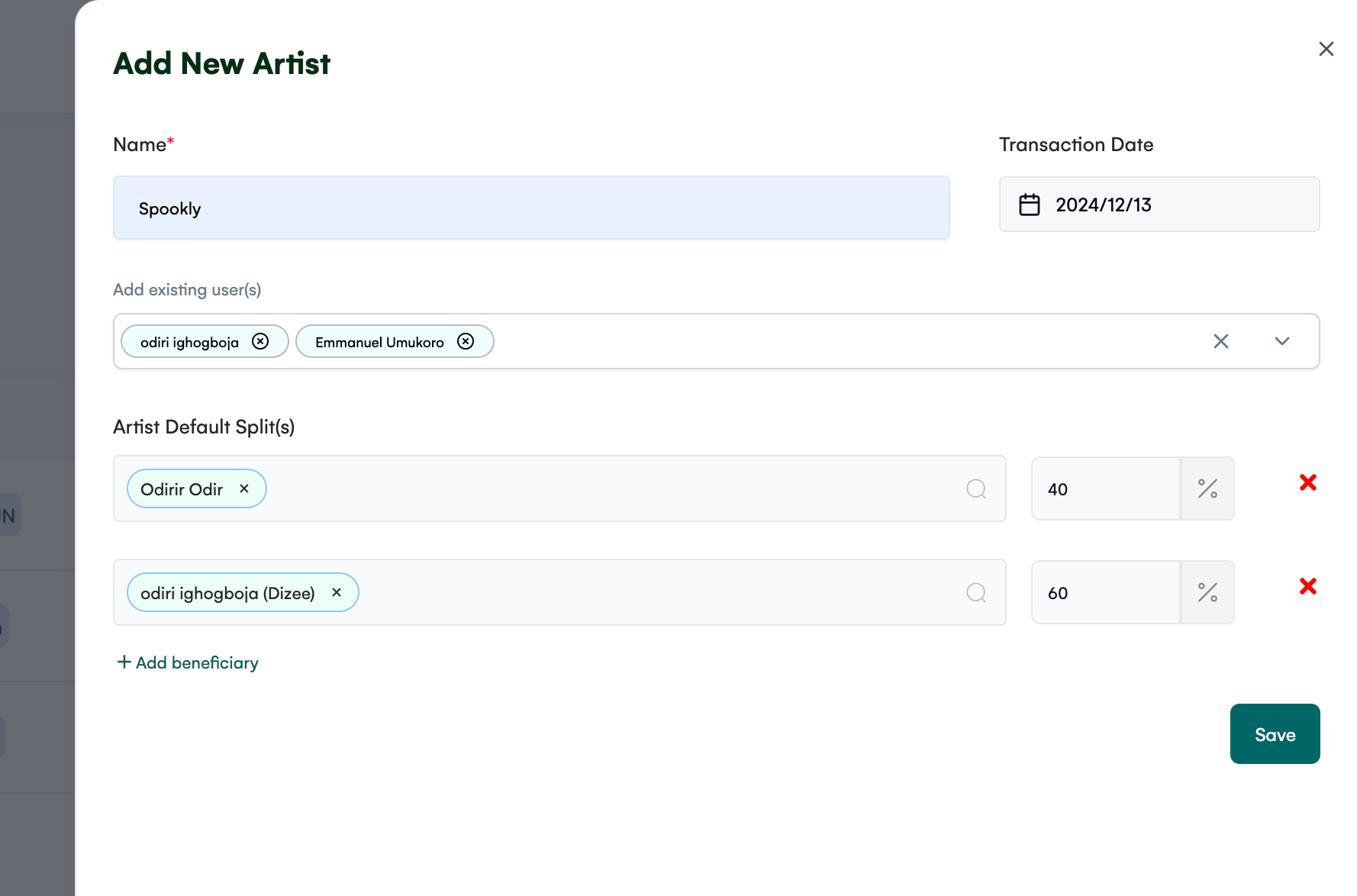
Input Artist Details
Fill in the following fields in the right panel:
-
Name: Enter the name of the artist.
-
Transaction Date: Specify the transaction date associated with the artist.
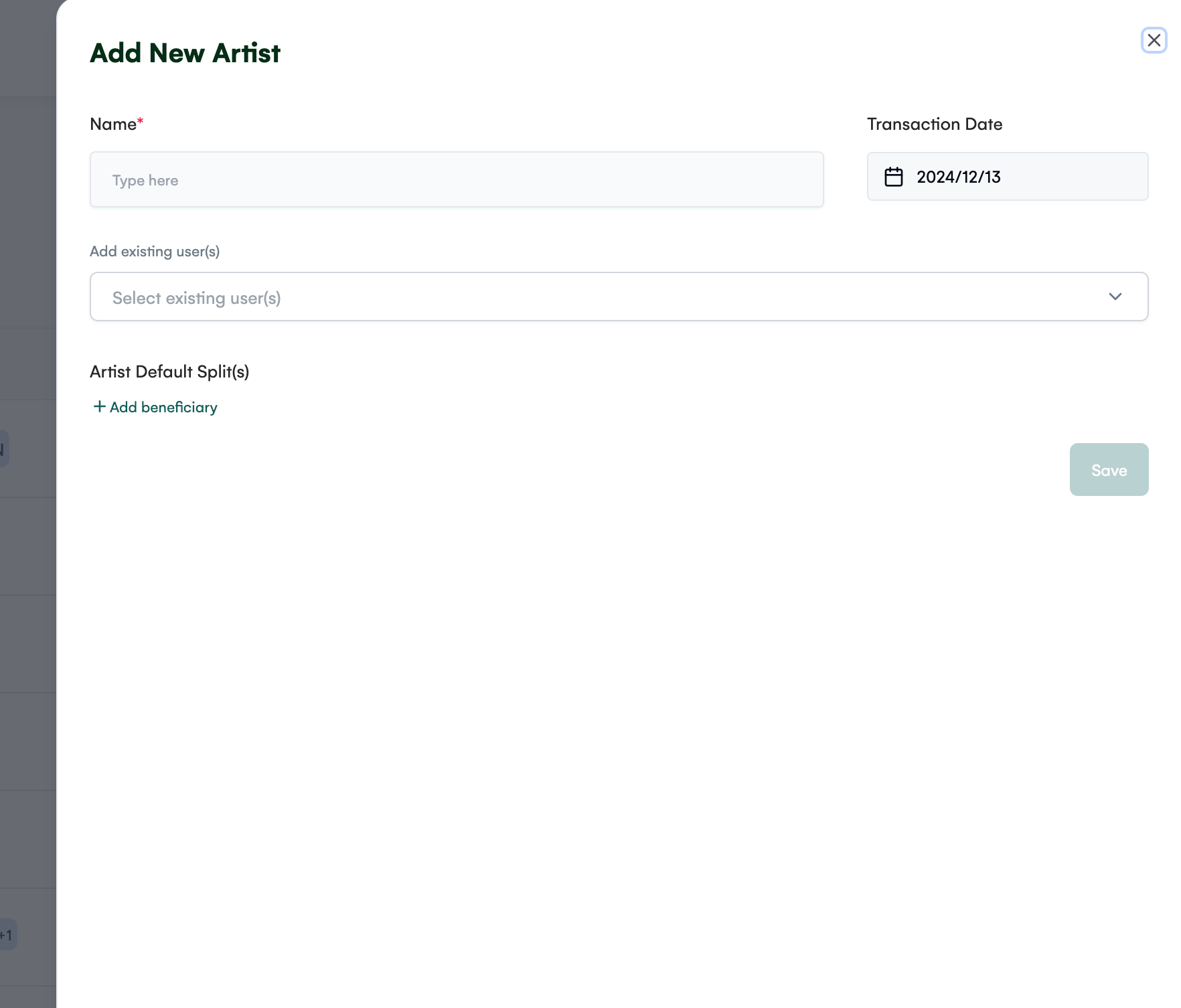
Below the Name field, use the dropdown to:
-
Add Existing User(s): Select existing users to associate with the artist.
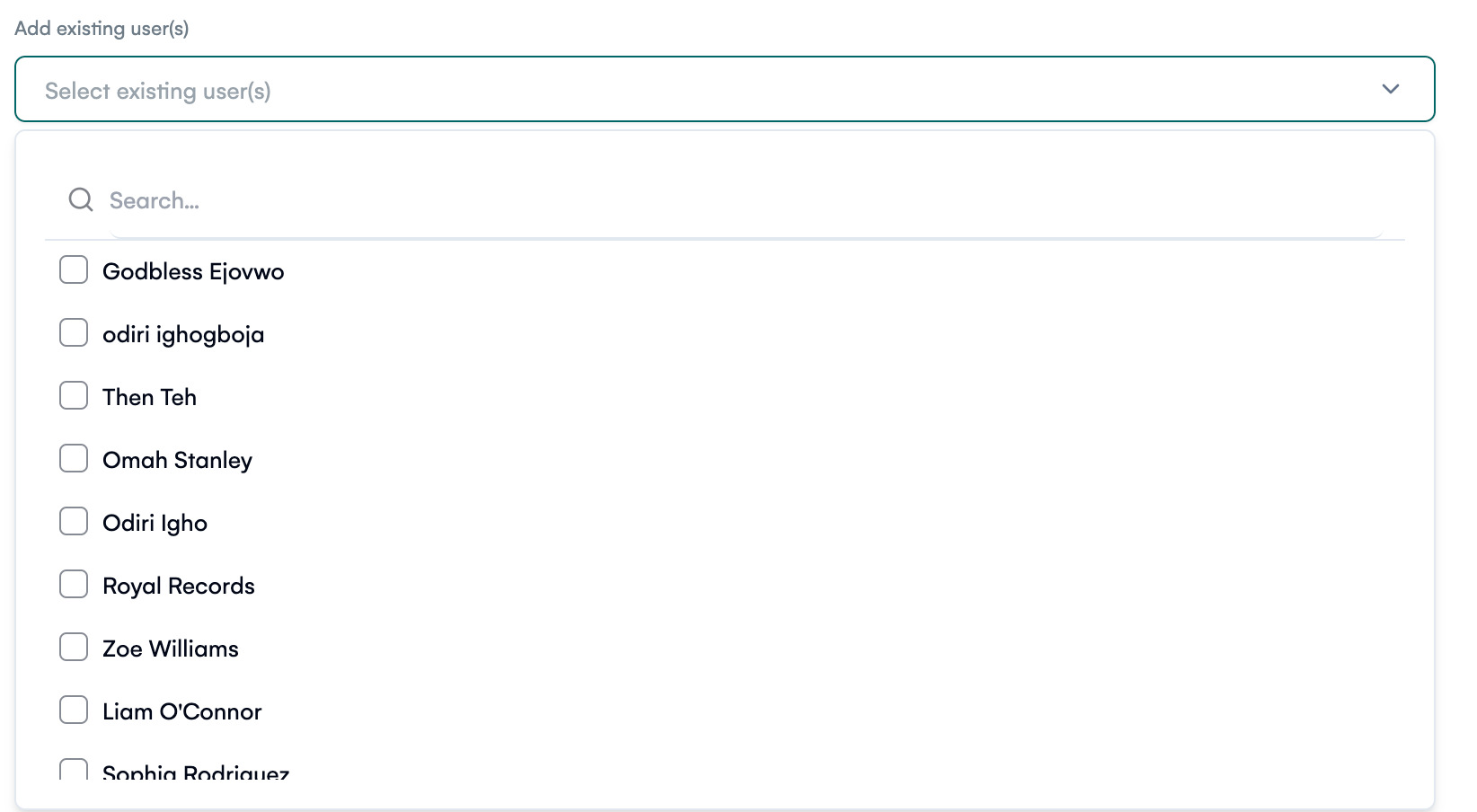
Add Beneficiaries (Optional)
If applicable, define the beneficiaries for the artist’s splits:
-
Use the Beneficiaries section to add one or more beneficiaries.
-
Specify the split percentage for each beneficiary.
Save the Artist
Once all required and optional details are filled in, click the "Save" button to create the artist.
Key Features
-
User Association: Link existing users to an artist for streamlined management.
-
Beneficiary Splits: Optionally assign beneficiaries and define their split percentages.
-
Transaction Tracking: Add transaction dates for accurate record-keeping.
With this feature, adding artists to your Royalti workspace is quick and efficient. Get started today to enhance your artist management workflow!
Related articles
Managing Payment Items in Royalti.io
This guide explains how to view, edit, and delete payment of the Accounting Management system. Getting Started To manage individual accounting items: 1. Log in to your Royalti.io account 2. Select...
Managing Royalty Sources
Overview The Royalty Sources feature allows you to manage and download royalty data from various platforms. This guide walks you through accessing, managing, and modifying your royalty sources....
Activating and Managing the Releases Feature - The Admin
What is the Releases Feature? The Releases feature is a comprehensive music submission and approval workflow system that allows your users to submit music releases for review and automatic catalog...
Still stuck?
Support answers within one business day — usually much faster.