Create a User (Person) on Royalti.io
Create a User (Person) on Royalti.io
The Create People (User) feature allows you to add new users to your Royalti.io workspace and assign specific roles and user types. This ensures organized management of user permissions and access levels. Follow the steps below to create a use
Log In
Log in to your [Royalti.io](https://app.royalti.io) Workspace with your credentials.
Navigate to the Users Page
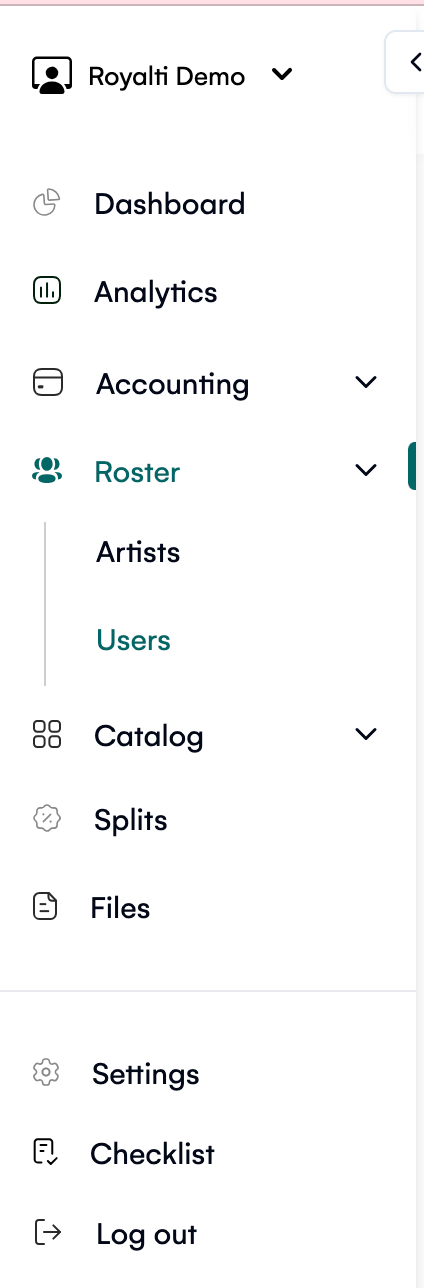
On the sidebar menu, click on the "Roster" dropdown.
Select "Users" to access the Users page.
Open the Add User Panel
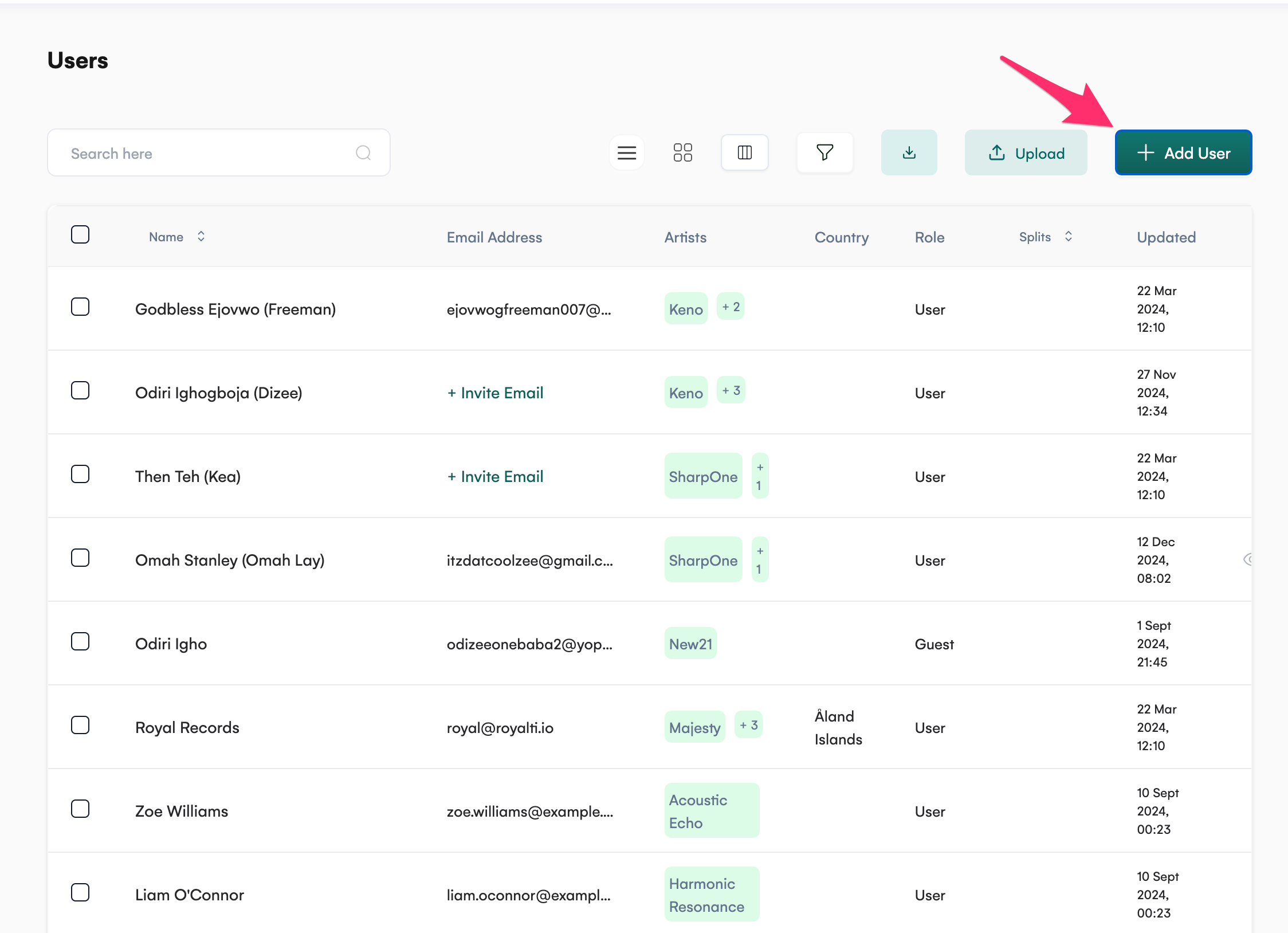
On the top-right corner of the Users page, click the "Add User" button.
A right-side panel will slide open for creating a new user.
Input User Details
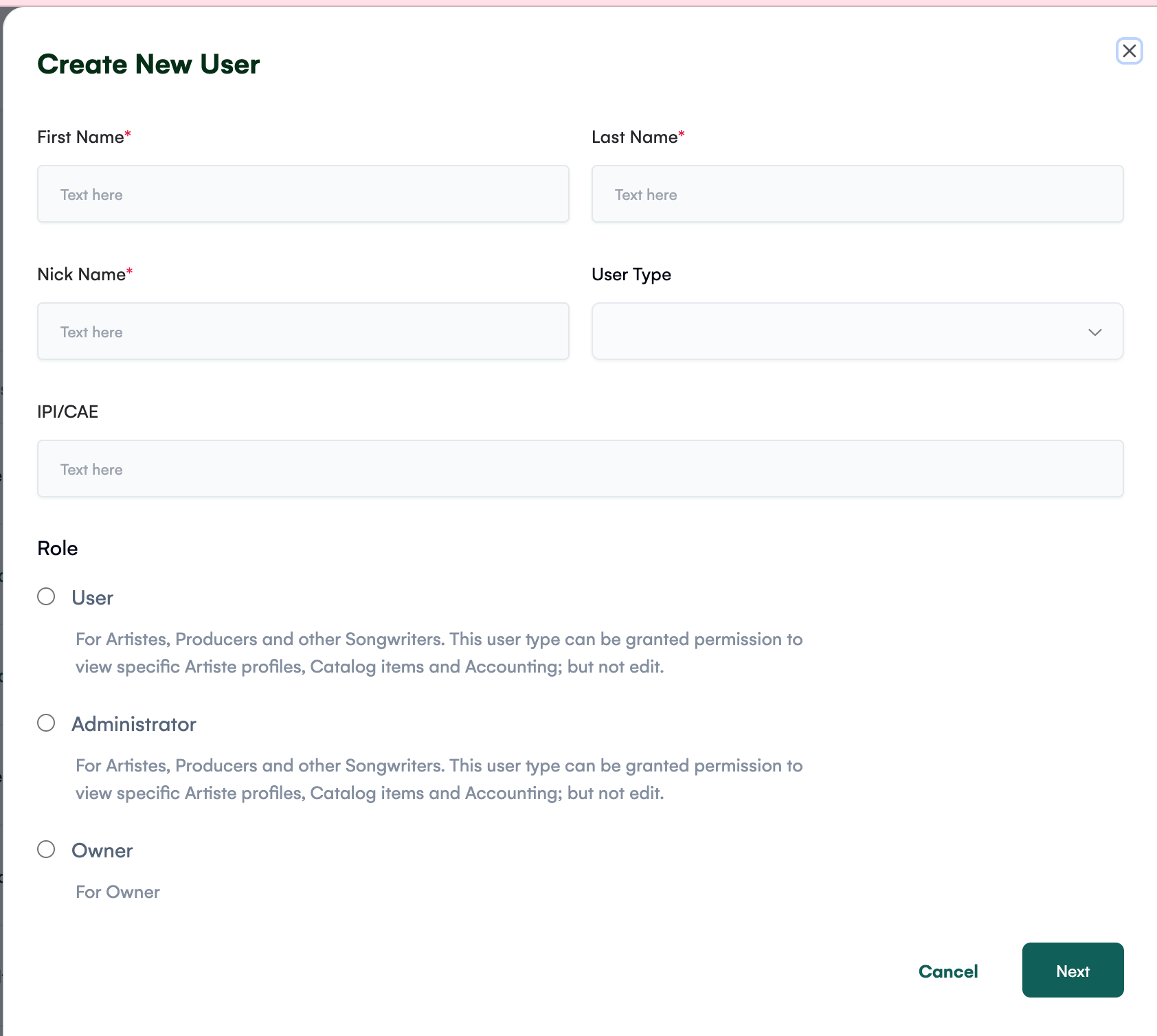
In the right panel, fill in the following mandatory fields:
-
First Name*: Enter the user's first name.
-
Last Name*: Enter the user's last name.
-
Nick Name*: Provide the nickname for the user.
Select the User Type from the dropdown options:
-
Recording Artist
-
Producer
-
Songwriter
-
Instrumentalist
-
Record Label
-
Distro
-
Administrator
-
Others
Input the IPI/CAE (optional): A text input field for the user’s identification number.
Select Role
Under the Role section, choose from the following options using the radio buttons:
-
User:
-
For Artists, Producers, and Songwriters.
-
This role can be granted permissions to view specific Artist profiles, Catalog items, and Accounting but cannot edit them.
-
Administrator:
-
For Artists, Producers, and Songwriters.
-
Similar viewing permissions, but with extended administrative capabilities.
-
Owner:
-
Assigns ownership-level access for maximum control.
Add Email Address
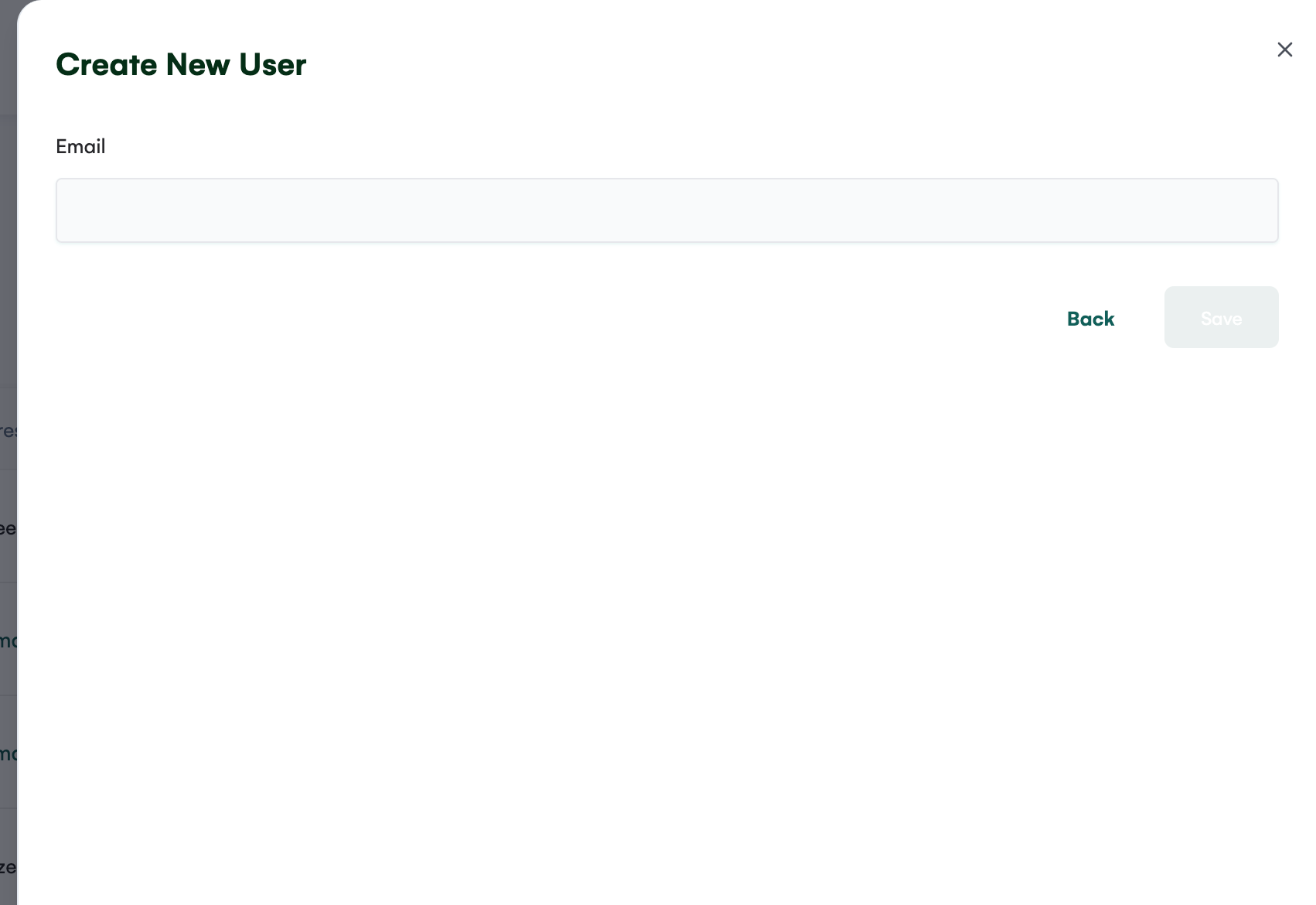
Click the "Next" button to proceed to the next slide.
Enter the user’s Email Address in the provided field.
Save the User
Once all required details are filled in, click the "Save" button to finalize and save the user.
Key Features
-
User Roles: Assign roles like User, Administrator, or Owner to define permissions clearly.
-
Flexible User Types: Select from multiple user types such as Recording Artist, Producer, Songwriter, and more.
-
IPI/CAE Integration: Add identification numbers for accurate user management.
-
Email Assignment: Capture user contact information to enable future communications.
By following these steps, you can efficiently create and manage users on your Royalti workspace. Start organizing your team today for better collaboration and streamlined workflows!
Related articles
Managing Payment Items in Royalti.io
This guide explains how to view, edit, and delete payment of the Accounting Management system. Getting Started To manage individual accounting items: 1. Log in to your Royalti.io account 2. Select...
Managing Royalty Sources
Overview The Royalty Sources feature allows you to manage and download royalty data from various platforms. This guide walks you through accessing, managing, and modifying your royalty sources....
Activating and Managing the Releases Feature - The Admin
What is the Releases Feature? The Releases feature is a comprehensive music submission and approval workflow system that allows your users to submit music releases for review and automatic catalog...
Still stuck?
Support answers within one business day — usually much faster.