I Built a Planning Skill Because My Plans Kept Rotting
An open Claude Code skill that turns 'plan this' into a living research → plan → build folder where re-runs augment your work instead of overwriting it.
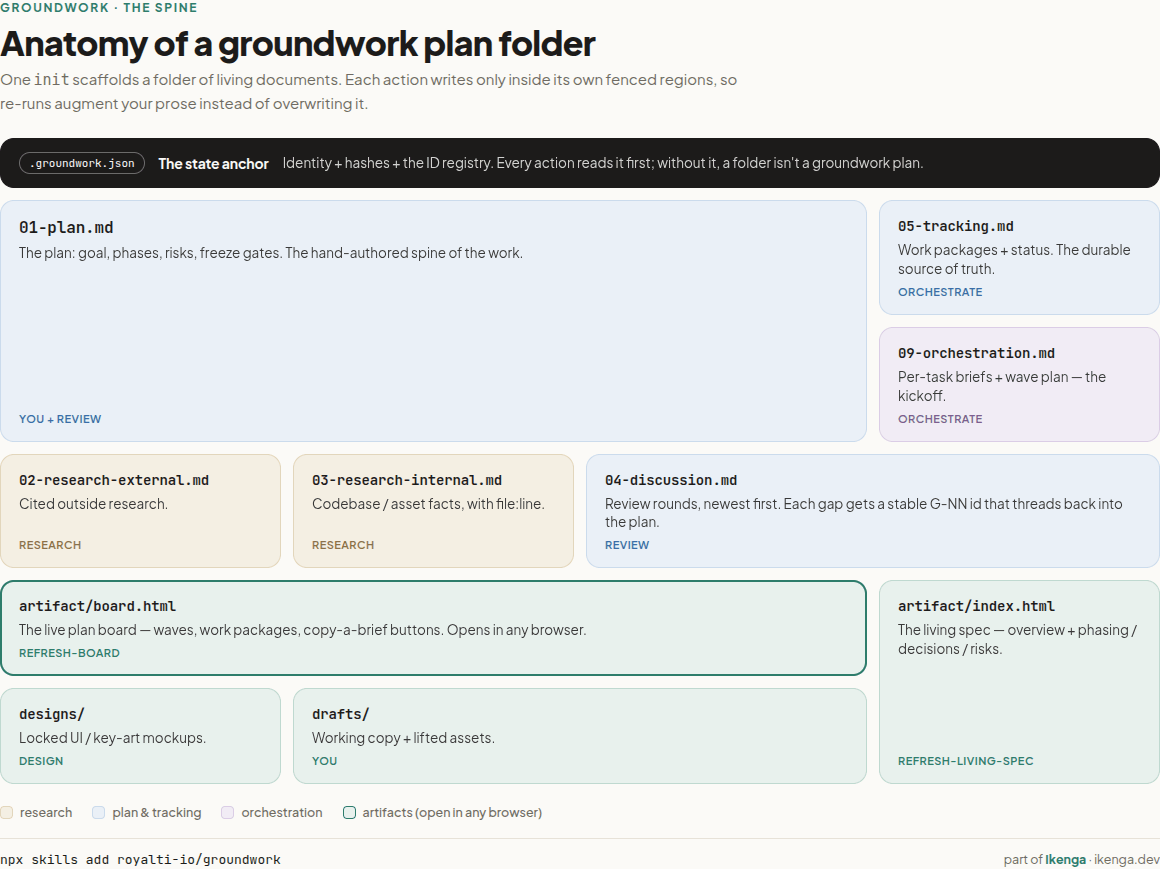
The idea was simple: an open Claude Code skill that turns "plan this" into a folder of living documents: a plan, research, a tracking file, and an HTML board. Where re-runs augment your work instead of overwriting it (a checksum decides what changes on disk, not the model), running on plain Claude Code (and Codex, Gemini, Cursor, and dozens of other agents through the open skills format), and works for code and non-code work alike. And all you need to install is a single line: npx skills add royalti-io/groundwork. That was the groundwork.
I was three sessions into planning a feature called Studio, which was intended as a code-and-canvas editor for our desktop app, when I noticed I was doing the same thing every morning. I would open yesterday's plan. Read it. Realize half of it no longer matched what I had decided in the meantime. Ask the agent to "update the plan," and watch it rewrite the whole document, including the two paragraphs of hard-won reasoning I had typed by hand the night before.
Each day, the plan drifted a little further from reality. What began as a plan gradually became a wall of text that I could not safely regenerate without losing my own edits. So I would start a fresh prompt, and the rot would begin again.
This is a small, specific annoyance. It turned out to be the seed of something I now use on nearly every non-trivial thing I do.
One giant prompt is not a plan
The default way to plan with an AI is to write one long prompt, get one long answer, and paste it into a doc. It feels productive, but falls apart for three reasons.
It rots. The dev community has a name for this now: context rot, the slow decline in an agent's output as a session fills with stale instructions and abandoned attempts. Your planning doc inherits the same decay: it confidently describes a decision you reversed two days ago.
It clobbers. The moment you ask the agent to revise, it owns the whole document. Your hand-written notes and its generated sections live in the same undifferentiated blob, so a "quick update" overwrites your thinking along with its own.
It dead-ends. A wall of prose doesn't hand off to anything. When you're finally ready to build, you re-read the whole thing and start over in a new session, because there's no structure connecting the plan to the work.
Plenty of good tools tackle the first half of the problem: GitHub's Spec Kit, AWS Kiro, and even Claude Code's own plan mode. They get you to a spec. What none of them say much about is what happens on the second edit: whether re-running augments the document you have been hand-editing, or quietly replaces it. The second edit was where my mornings were going.
What I actually built
Groundwork is a Claude Code skill. You give it a goal; it scaffolds a folder of numbered, living documents — a plan, two research files, a discussion log, a tracking file, and an HTML board you can open in any browser (here's a live one). Then it gives you a small set of actions you can run any time: research, review, design, orchestrate, refresh the board.
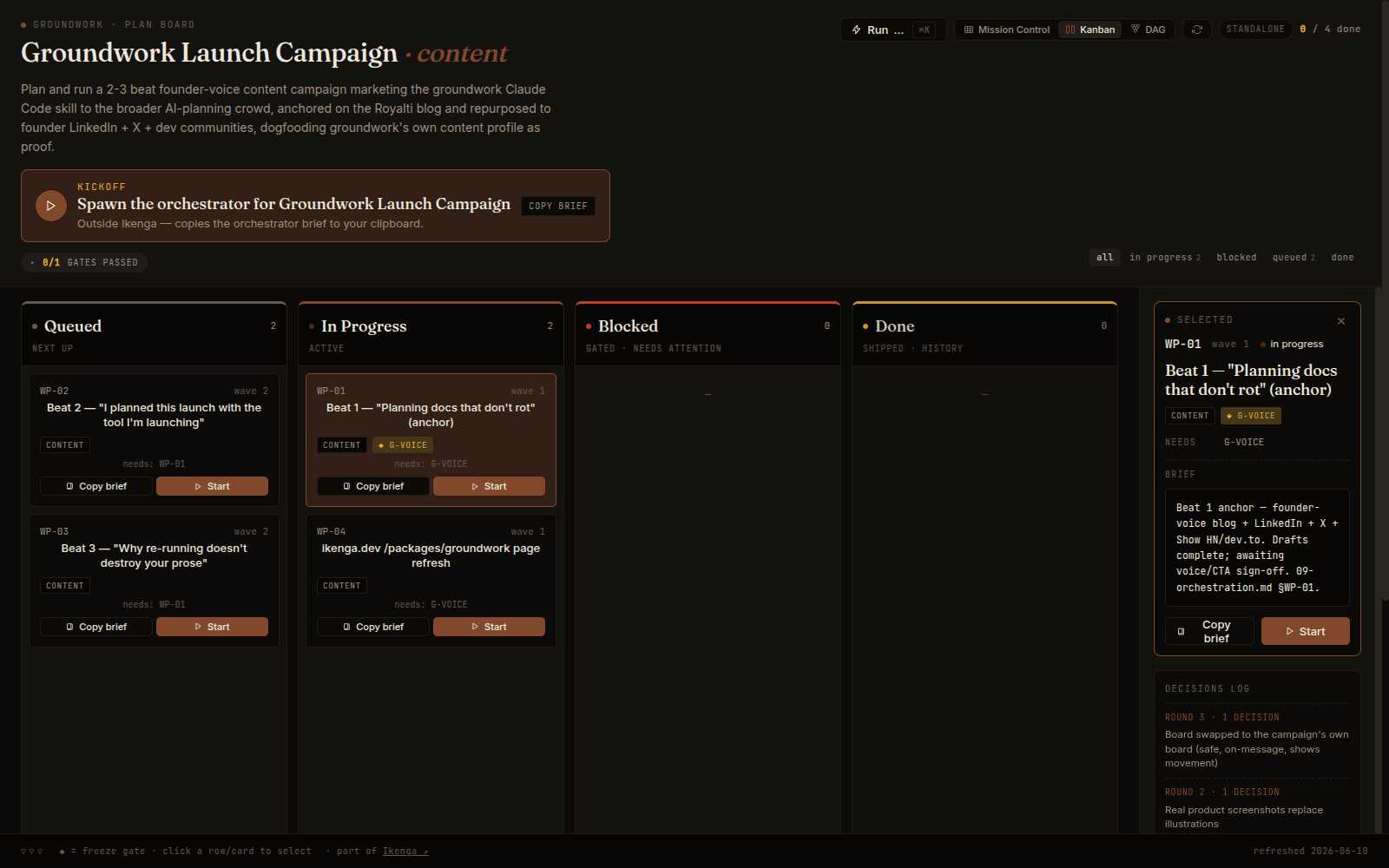
The board is an Ikenga artifact: it opens standalone in any browser and lights up with live status inside the Ikenga workspace. The same file gives you mission control, this Kanban, and a dependency-graph view of the waves.
The part that fixed my mornings is unglamorous. Every block the skill generates is wrapped in a fenced region. Everything outside a fence is yours, and it is never touched. When you re-run an action, a small Python script hashes the region, compares it to what it wrote last time, and only rewrites if the content actually changed. If you edited inside a fence yourself, it detects that and refuses to clobber you.
That last sentence is the whole point, so I'll be precise about it: "augments, never overwrites" isn't a behavior I'm asking a model to remember. It's a sha256 comparison done by a script with no dependencies. The agent proposes; the script decides whether a byte changes on disk. I trust that in a way I have never trusted "please don't edit my notes."
The rest of the design follows from wanting the plan to survive contact with a real build:
- Stable IDs — gaps, work packages, freeze gates, thread the plan to the tracking file, to the orchestration doc, to the board. When a review changes something, the IDs say exactly which downstream sections to re-sync. Nothing gets renumbered out from under you.
- A review action that reads the plan, finds the gaps, and folds them into a dated discussion round. On Studio, two review passes caught my tracking file silently drifting from my plan, the exact failure that made me add the IDs in the first place.
- An orchestrate action that turns the finished plan into per-task briefs and a wave order. Hand it to one agent or add
--emit-workflow, and the plan becomes a runnable Claude Code Workflow: it fans the waves out across agents in parallel, turns each freeze gate into a sign-off barrier, runs every task isolated, and reports back. The dependency graph the board draws is the same one the workflow executes.
It is not only for code
I built this for a software feature, but the folder is just structured prose with safe regeneration. That generalizes. Groundwork ships four profiles: software for features, general for non-code work like campaigns or org changes, content for editorial work with key art, and design-system for building component libraries. The profile swaps the vocabulary and a few optional sections; the safe-regeneration machinery underneath is identical.
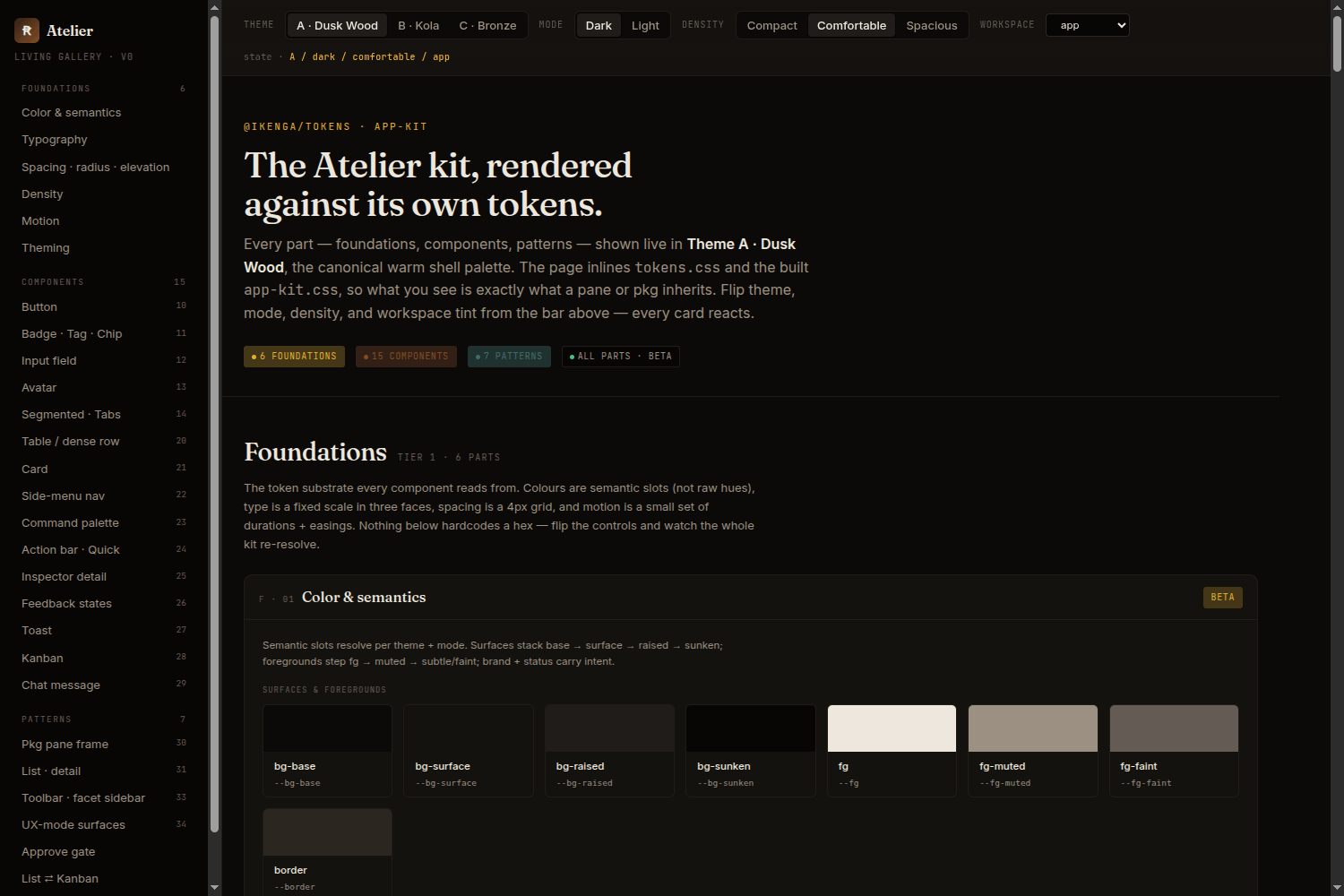
The design-system profile adds a parts gallery, a token pipeline, and a per-part quality gate. Same spine, same fences — different work.
I'll show you what I mean by that in the next post, because I planned the launch of this skill, the post you're reading, the social, the whole sequence, inside groundwork's content profile. The board for it is a real artifact I can hand you. Using the thing to ship the thing was the most honest test I had.
What it doesn't do yet
The board renders in any browser and has a "copy this brief" button on every task. It also has a "Start session" button that, today, copies a prompt for you to paste; it does not yet fire off a coding session on click. That live click-to-implement and live status syncing back to the board are the next phase. I'd rather tell you the button is half-wired than let you click it and wonder why nothing happened.
There's no magic, either. Groundwork doesn't write your plan for you. It gives the planning a shape that doesn't fall apart, and it does the bookkeeping, the hashing, the IDs, the re-syncing, all of which I was doing badly by hand.
Take it even if you never touch the rest
Groundwork is open under Apache-2.0; the source lives on GitHub. It runs in plain Claude Code with nothing else installed, and because it's a standard skill in the open npx skills format, it also works with Codex, Gemini, Cursor, and dozens of other agents. One line:
npx skills add royalti-io/groundwork
It's one of a few skills we pulled out of our internal workspace and opened, because the bottom half of what we built, the planning, the bookkeeping, the boring durable structure, turned out to be useful far outside the music company it was built for. The plan board also has a visual home, a local-first desktop workspace called Ikenga (ikenga.dev), where it renders live next to your running sessions, but you never need it; the skill stands alone. Take it. If it stops your plans from rotting the way mine were, that's the whole reason it's out there.
About the author
Keep reading
All posts →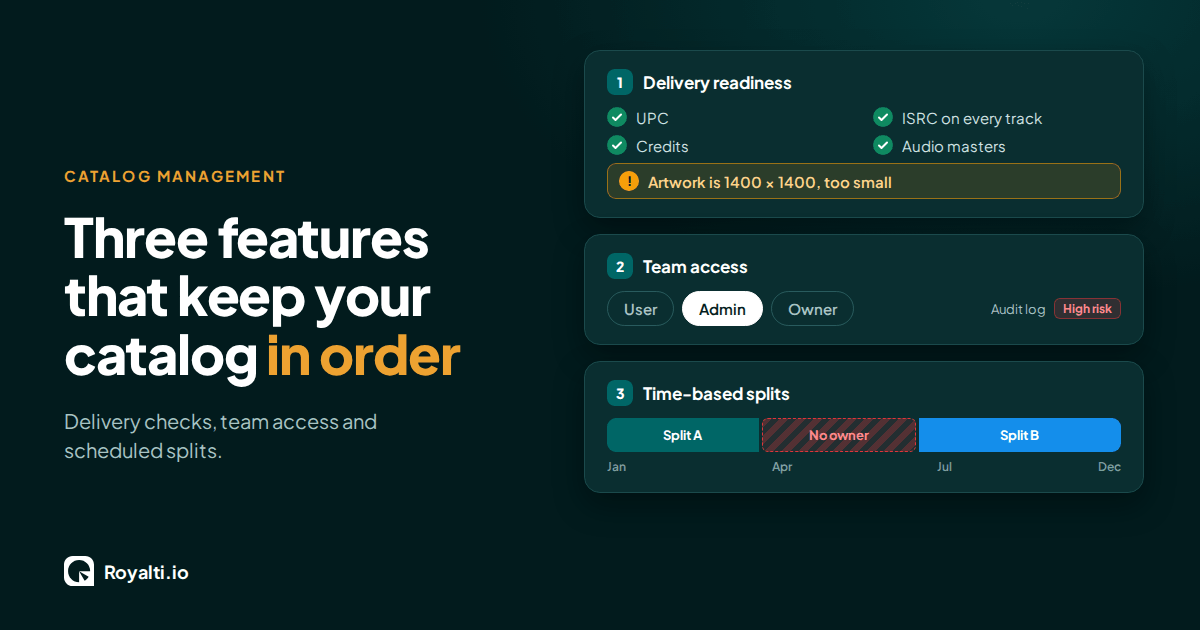
Royalti.io: Three Features That Keep Your Catalog in Order
Delivery checks that stop bad releases, team access you can trust, and splits that change on schedule. Here is how each one works in Royalti.io
Royalti.io: How We Rebuilt DDEX Delivery
A release can fail on its way to stores without anyone noticing. Here is what broke in our DDEX delivery, how we fixed it, and what you can check first.
AI and Creator Consent 2: Before You Opt In to an AI Music Deal
Your distributor or publisher may already have the right to license your music for AI use. Here is what to ask and what to check for before you say yes.
Comments
No comments yet. Be the first to comment!