How to Use Ask Roy: Royalti's AI Assistant
What is Ask Roy?
Digging through reports to find one revenue figure takes time you don't have. Roy answers your royalty questions instantly — using your actual workspace data.
Roy is an AI assistant built into your Royalti dashboard. Ask questions about your royalty data, catalog, splits, analytics, and more — and get answers based on your real numbers.
How to Open Roy
- Sidebar menu — Click "Ask Roy" in the left sidebar
- Floating button — Click the sparkles button in the bottom-right corner
- Keyboard shortcut — Press Cmd+. (Mac) or Ctrl+. (Windows/Linux)
Your First Question
- "Show me my revenue summary"
- "What are my most popular tracks?"
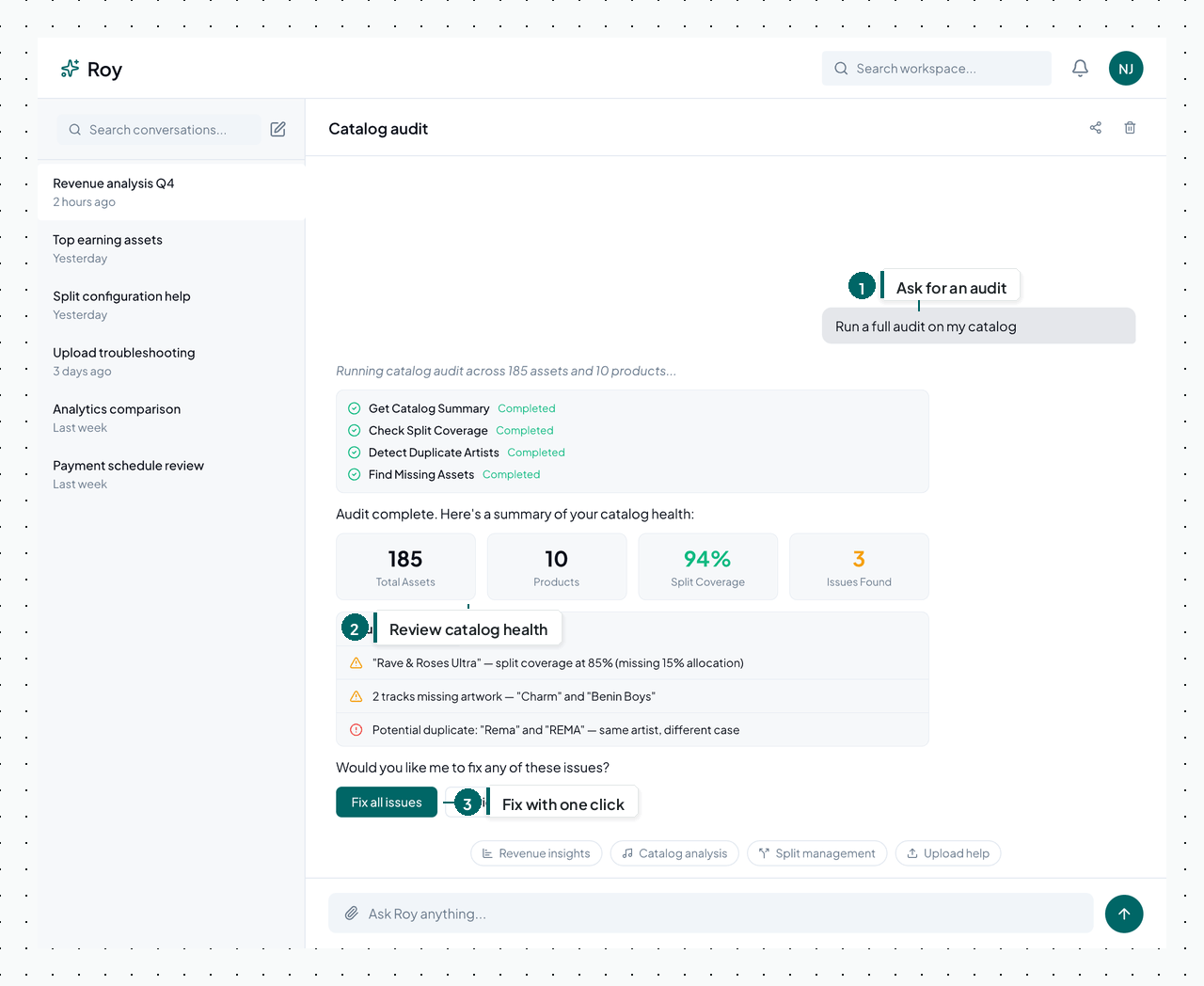
- "Run a full audit on my catalog"
- "How do I add a new release?"
Here’s what a catalog audit looks like in Roy:
Managing Conversations
- New conversation — Click "New Chat" to start fresh
- Rename — Right-click a conversation in the sidebar to rename it
- Archive — Right-click to archive conversations you no longer need
- Resume — Click any past conversation to pick up where you left off
Tips
- Be specific. "Show me Spotify revenue for January 2026" works better than "show me some data"
- Roy's suggestions change based on the page you're on
- Press Escape to close the floating widget
Was this article helpful?
Related articles
AI Assistant
25 Example Questions to Ask Roy About Your Royalty Data
Real example queries for revenue, catalog, splits, audits, enrichment, and uploads — organized by category.
Updated 08/07/2026
AI AssistantAsk Roy Capabilities: Queries, Actions, Files & Workflows
Everything Roy can do — data queries, workspace management, catalog audits, enrichment, file analysis, and guided workflows.
Updated 08/07/2026
Still stuck?
Support answers within one business day — usually much faster.